Kosher WhatsApp: The Complete Guide
A kosher WhatsApp is WhatsApp that keeps the chats a family needs and leaves out the rest. Family, school groups, shul and work stay. Status, Channels, Communities, the AI chat button, strangers and forwarded videos go, or wait for a parent's yes. WhatsApp's own settings cannot do all of that, so families combine them with Apple's settings or a service that sets it up.
What people mean by "kosher WhatsApp"
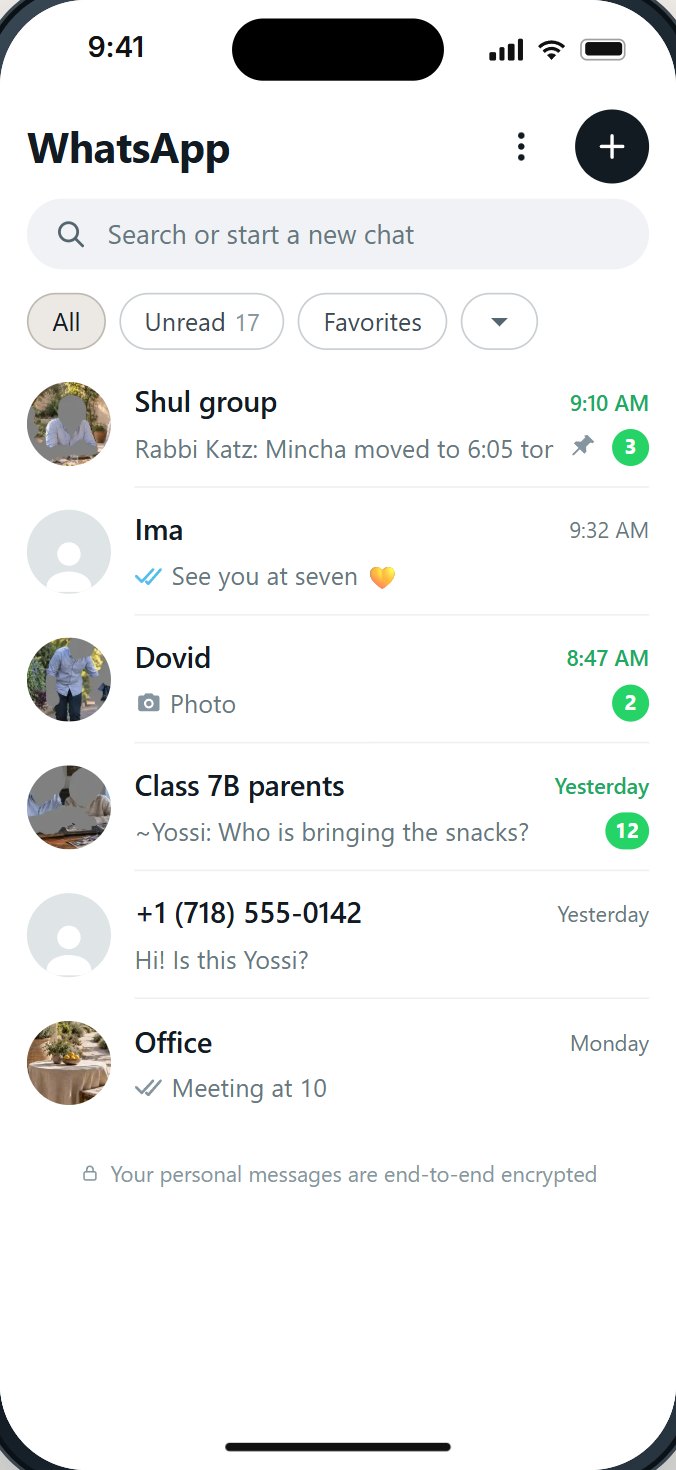
There is no separate kosher edition of WhatsApp. People use the phrase for something simpler: WhatsApp the family can live with. The chats with Ima, the class group, the shul group and the office stay. The parts that bring in what the family did not ask for are closed, or wait for a parent.
It is worth saying two things clearly at the start.
- A kosher WhatsApp is not a hechsher. HigherLife is not a hechsher, and no setting makes an app kosher by itself. What your home, your school or your rav accepts is a question for them. This guide explains what can be set and what each choice keeps out.
- "Kosher" is not one standard. A ten-year-old who needs the class group, a bochur abroad who needs his parents, and a working father who lives on WhatsApp all need different things. A good setup can be set for the person holding the phone, and changed when life changes.
Why WhatsApp is the hardest app to decide on
When we read hundreds of public comments about kosher phones, WhatsApp came up more than any other app, and in both directions. Some people cannot give it up:
- "I would like to switch to a kosher smartphone, however the one thing I'm having a hard time giving up is whatsapp." (a mother on Imamother, 2022)
- "I need whatsapp (I have a lot of international family and it's the only way to communicate)." (Imamother, 2024)
- "I don't want to have a smartphone but I need to have whatsapp on my phone." (Imamother, 2025)
Others want it gone:
- "I absolutely do not want whatsapp, because that is one of the biggest problems for me!" (Imamother, 2025)
- "I think kosher phone w WhatsApp is an oxymoron." (Imamother, 2024)
Both sides are right about something. WhatsApp is where the school sends the schedule and where grandparents abroad see the children. It is also where a forwarded video arrives from someone the family never met, where a stranger can write, and where feeds of posts sit one tap away from the chats. One writer on The Yeshiva World put a quieter problem well: WhatsApp "shows when the receiver reads the message. So you feel pressure to reply immediately, even during davening, learning or family time."
WhatsApp is also not a niche app. Pew Research Center found that 32% of American adults used it in 2025, up from 22% in 2018, and about a quarter of American teens (24%) used it. Telling a family "just do without it" often means cutting them off from people they love. The real question is which parts of WhatsApp stay.
The parts of WhatsApp families worry about
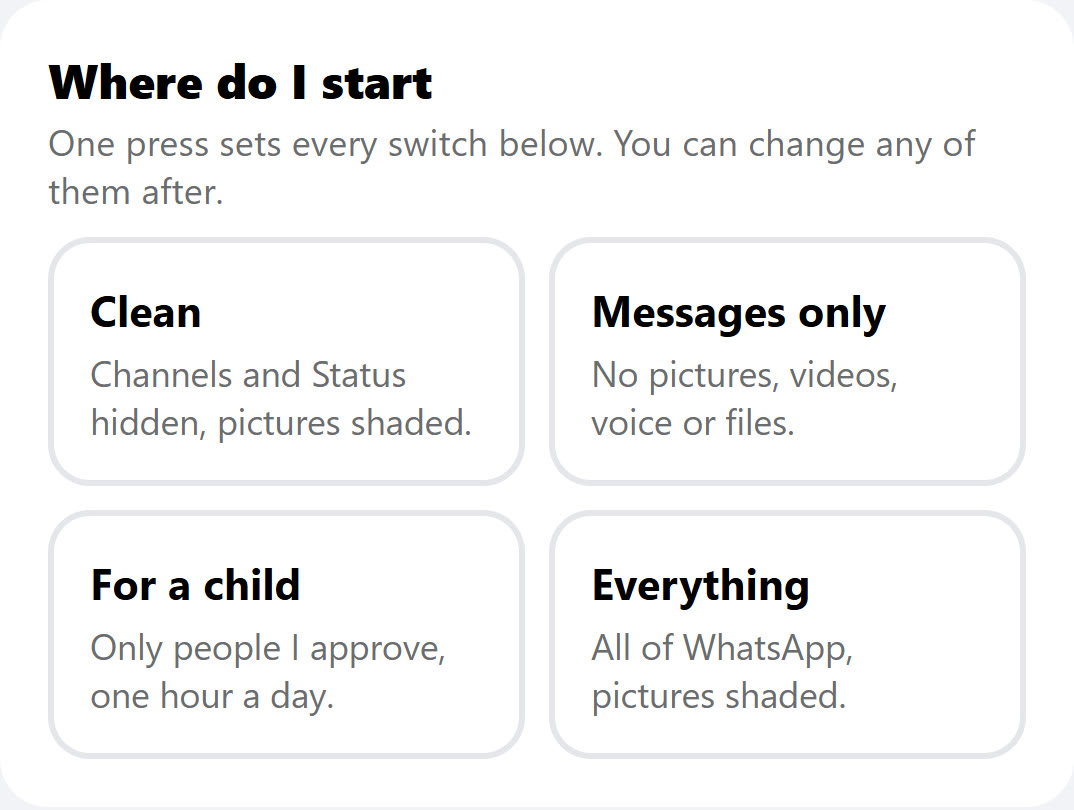
Most of the worry is not about chatting. It is about the parts that bring in content from outside the chats. Here they are one by one.
- Status. Photos and videos that contacts post for others to watch. A family can close the chats with strangers and still find Status full of other people's pictures.
- Channels. Public broadcasts anyone can follow. WhatsApp opened Channels in more than 150 countries on September 13, 2023. They live next to the chats, and a directory suggests new ones.
- Communities. Groups of groups, which WhatsApp started rolling out worldwide on November 3, 2022. Useful for a school; also a way to land in groups with hundreds of people.
- The AI chat button. WhatsApp now carries Meta's AI assistant, Meta AI. Some families are happy with it; many would rather a child not have a chat robot in the pocket.
- Numbers you do not know. Anyone with the number can write.
- Groups and invite links. A child can be added to a group, or tap an invite link and join one.
- Pictures, videos and forwards. The chats families want are also the place a forwarded video arrives. "Forwarded many times" chains are where much of the unwanted material travels.
- Link previews. A link sent in a chat shows a picture card from the site it points to.
- Time. WhatsApp at night, on Shabbos, during learning.
What WhatsApp's own settings can do
WhatsApp has real privacy settings, and every family should use them. They were built to protect the person using the phone from other people, not to let a parent shape the app. That difference matters.
- Who can add you to groups. Settings, then Privacy, then Groups: Everyone, My Contacts, or My Contacts Except. WhatsApp added this in 2019. When someone outside the allowed list tries to add you, they are asked to send a private invite instead, which expires after three days if you do not accept it.
- Who sees your own Status, last seen and profile photo. These protect your posts and your privacy. They do not stop the person holding the phone from watching other people's Status.
- Blocking a number. One at a time, after it has already written.
What we did not find in WhatsApp's own settings: a way to remove Status, Channels or Communities from the app, a list of the only people allowed to write, a way to keep forwarded videos out, or hours when WhatsApp closes. And anything set inside WhatsApp can be changed by whoever holds the phone. WhatsApp's terms say you must be at least 13 to use it on your own; for a younger child, they say a parent or guardian can create a parent-managed account where that is offered.
What the iPhone's own settings can do
Apple's Screen Time can put a daily time limit on WhatsApp, and it can keep the app closed during a Screen Time Schedule (called Downtime in iOS 26 and earlier). Those are useful. Three limits are worth knowing before you count on them:
- Apple's "who can my child talk to" setting does not reach inside WhatsApp. Apple's own page says Allowed Contacts lets you choose who your child communicates with "in Messages, FaceTime, and Phone". WhatsApp is not on that list.
- A time limit is a limit on the whole app. Screen Time cannot keep the family chat open while it closes Channels.
- Whoever knows the Screen Time passcode can change it. On an adult's own phone, that is usually the adult. Apple notes that, by default, Screen Time limits can be ignored once reached unless you turn on blocking.
Three ways to get a kosher WhatsApp
1. WhatsApp's settings and Apple's settings, set by you
Free, and worth doing on any phone. Set group invites to My Contacts, set a Screen Time limit and a schedule, and keep the Screen Time passcode with someone else. What it cannot do: remove the feeds, choose who can write, or keep forwards out.
2. A basic phone that carries WhatsApp
Some families choose a simple phone that runs WhatsApp and little else. The phone is simpler. The WhatsApp on it is usually the same WhatsApp, with the same Status, Channels and forwards. Ask the store exactly which parts of WhatsApp the phone keeps out before you buy.
3. A kosher WhatsApp set up by a service
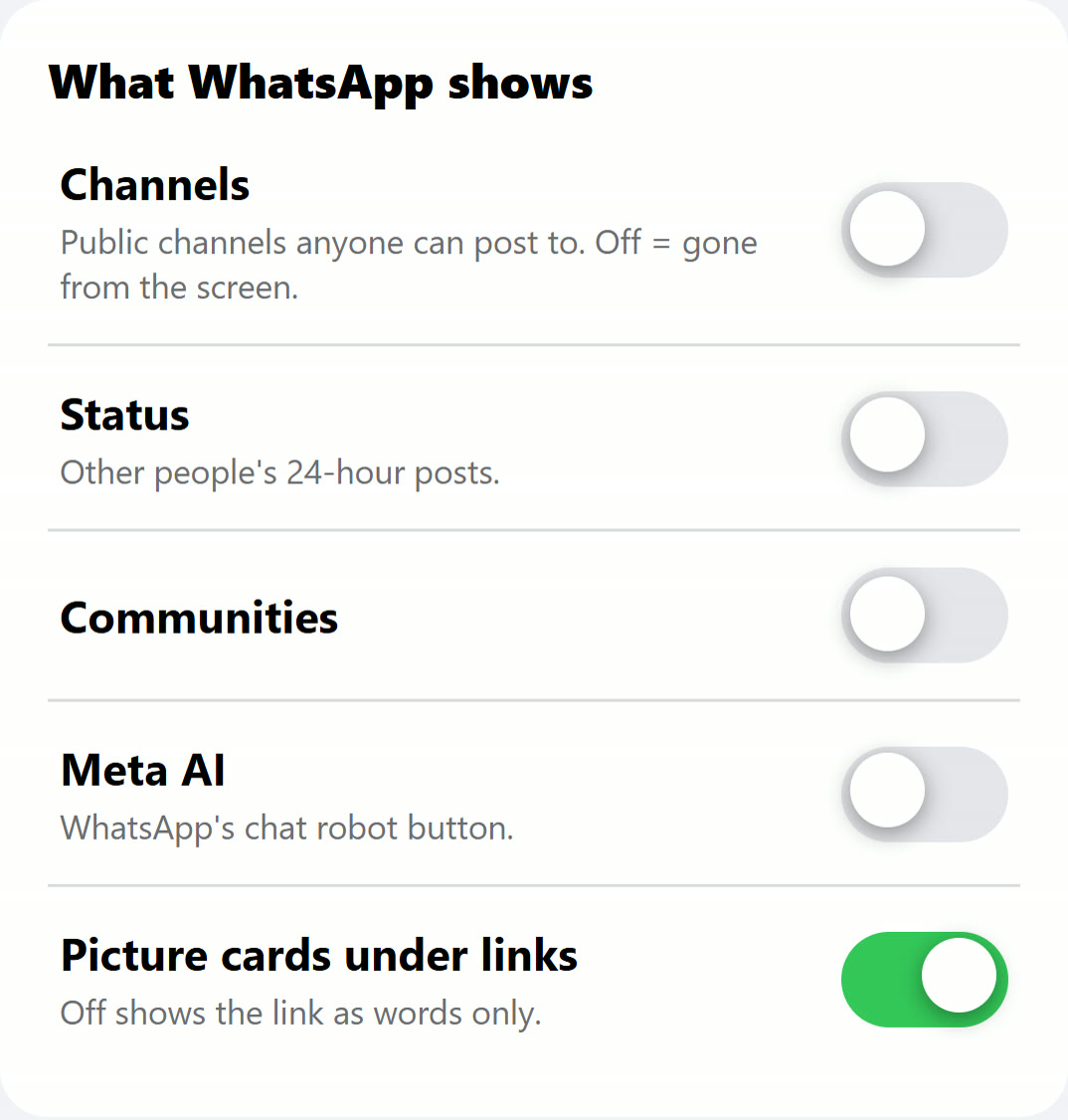
A service sets the phone up so that a parent decides, from a page of their own, which parts of WhatsApp the phone shows, who may write, and when it is open. Ask any service the questions in the checklist below, in writing, before you pay.
The kosher WhatsApp checklist
Take this list to any store or service, or go through it on your own phone. A good answer is a plain yes or no, shown on a real phone.
| Ask | Why it matters |
|---|---|
| 1. Can Status be closed, not just hidden from my own posts? | Status is other people's pictures. Your own privacy setting does not close it. |
| 2. Can Channels and Communities be closed? | They bring in posts from people the family never chose. |
| 3. Can I choose the only people and groups who may write? | A child's phone usually needs a list, not a block-after-the-fact. |
| 4. What happens when someone new writes? | Best: the chat waits, and the parent is asked. |
| 5. Can joining a group from a link ask first? | Invite links are the easiest way into a large group. |
| 6. Are pictures shown, shaded, or off? Can I choose per kind? | Photos, videos, GIFs, profile pictures and forwards are different questions. |
| 7. Can forwarded pictures and videos be kept out? | Much of what families do not want arrives as a forward. |
| 8. Can the AI chat button be closed? | Some families want WhatsApp to be people only. |
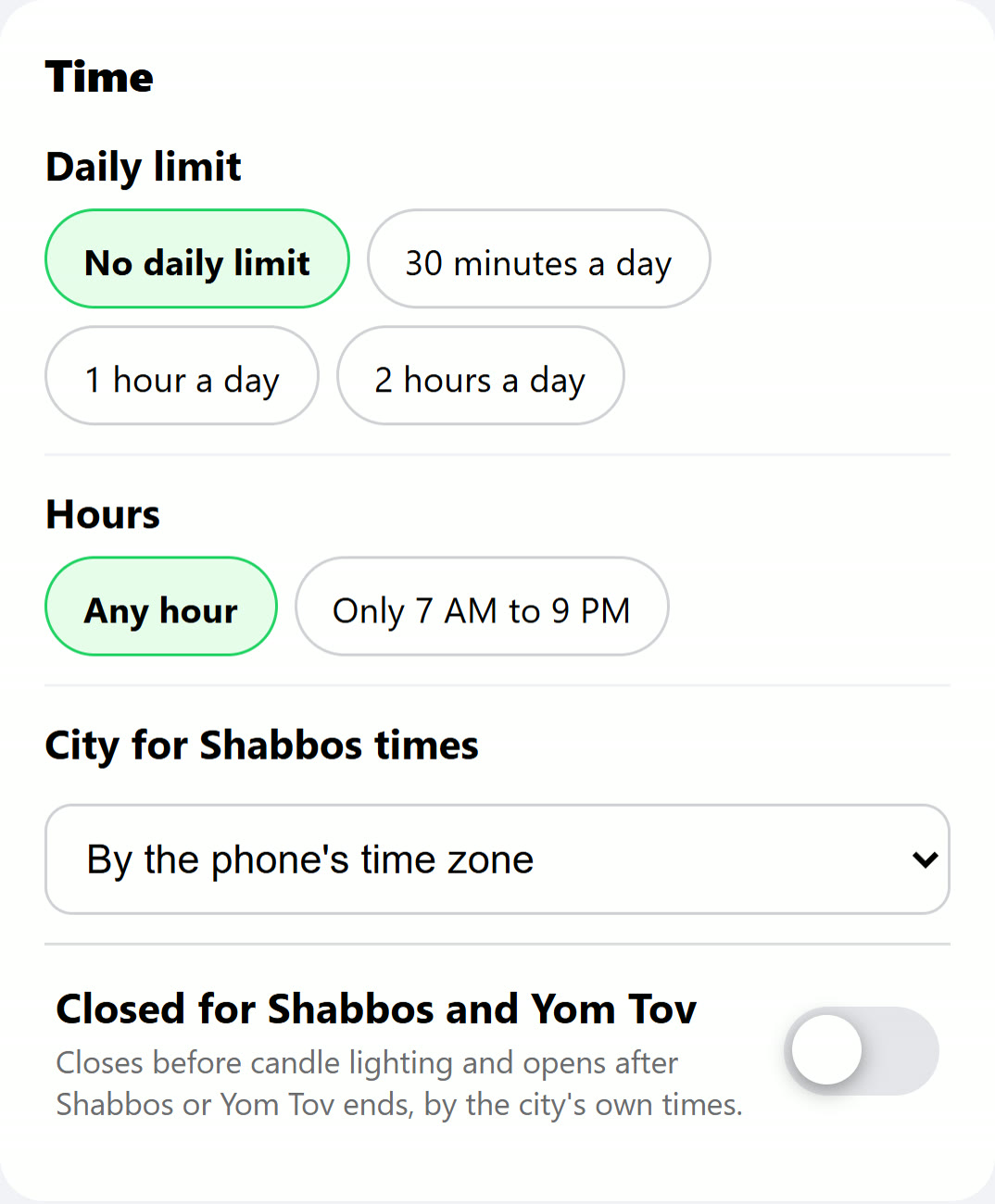
| 9. Can WhatsApp close at night and for Shabbos? | Hours matter as much as content. |
| 10. Can the person holding the phone change any of it? | If WhatsApp's own Settings are open, the answer is often yes. |
| 11. Can a second WhatsApp account be opened on the phone? | A second account starts from nothing. |
| 12. What do I see as a parent, and what don't I see? | Families differ. Many want to know what was asked for, never what was said. |
Which setting fits which person
| Who | A sensible start | Worth adding |
|---|---|---|
| A child with a first phone | Only people and groups the parent approves; no Status, Channels or Communities; pictures shaded or off | A daily limit and set hours; asks to add someone go to the parent |
| A teenager | Everyone may write, groups ask first; no feeds; forwards off | Closed for Shabbos; loosen one line at a time as trust grows |
| A bochur or seminary girl abroad | Family and the yeshiva or seminary groups; pictures shaded | Ask the yeshiva or seminary what they require first |
| A working adult | Everything for chats; no Status or Channels; pictures shaded | Closed for Shabbos, if that helps |
| A grandparent | Family and shul; few switches | Large text and a simple home screen |
What no setting can do for you
- It cannot replace the conversation. The families who describe success decide together, explain why, and loosen step by step.
- It cannot read the room. A class group can be kind or cruel. A parent who knows the group still matters.
- It cannot answer halachic questions. Ask your rav what your home should keep. Then set the phone to match.
- It cannot be perfect. Be wary of any promise that it is. Ask what happens when something slips through, and who you call.
Questions people ask
Is there a kosher version of WhatsApp?
Not from WhatsApp itself. "Kosher WhatsApp" means WhatsApp set up so that only the parts a family wants stay: the chats, without Status, Channels, strangers and forwards. HigherLife's own app for this is called Filtered WhatsApp.
Can a kosher phone have WhatsApp?
Many can, and for many families it must. Ask exactly which parts of WhatsApp the phone keeps out: Status, Channels, Communities, unknown numbers, invite links and forwarded videos. A phone that "has WhatsApp" often has all of it.
Can I turn off Status and Channels in WhatsApp?
We found no switch in WhatsApp itself that removes them. WhatsApp's privacy settings decide who sees your own Status, not whether the person holding the phone sees other people's. Closing them takes a setup from outside WhatsApp.
Can I choose who is allowed to write to my child on WhatsApp?
Not with WhatsApp's own settings or Apple's: Apple's allowed contacts cover Messages, FaceTime and Phone only. A kosher WhatsApp set up by a service can keep a list of approved people and groups, and let the child ask to add someone.
How old do you have to be to use WhatsApp?
WhatsApp's terms say at least 13 to use it on your own. They also say a parent or guardian can create a parent-managed account for a younger child where that is offered. Whether a child should have WhatsApp at all is a family's decision.
Can WhatsApp close on Shabbos automatically?
Not by itself. Apple's Screen Time Schedules can close the whole app at set times. A kosher WhatsApp set up by a service can close for Shabbos and Yom Tov and open again after.
Will my child still get the school and class groups?
Yes, if they are on the approved list. That is the point of a kosher WhatsApp: the groups that matter stay, the rest waits for you.
Can my child just download WhatsApp again, or open another account?
With settings on the phone alone, often yes, which is why parents ask. Ask any service whether a second WhatsApp account can open on the phone, and who can change the setup.
Sources
- WhatsApp, Terms of Service: "You must be at least 13 years old to register for and use our Services on your own", and parent-managed accounts.
- WhatsApp Blog, New privacy settings for groups (April 3, 2019, updated November 5, 2019): Everyone, My Contacts, My Contacts Except; a private invite that expires after three days.
- WhatsApp Blog, WhatsApp Channels are going global (September 13, 2023): "launch WhatsApp Channels to over 150 countries".
- WhatsApp Blog, Communities now available (November 3, 2022).
- Apple, Set up parental controls to manage your child's iPhone or iPad (iOS 27): Allowed Contacts in "Messages, FaceTime, and Phone".
- Apple, Set schedules with Screen Time (iPhone User Guide): "By default, Screen Time limits can be ignored once reached."
- Pew Research Center, Social Media Fact Sheet (2025): 32% of US adults use WhatsApp, 22% in 2018.
- Pew Research Center, Teens, Social Media and AI Chatbots 2025: "Fewer use Facebook (31%) and WhatsApp (24%)."
- Imamother forum, a 2022 thread about kosher phones with WhatsApp, Kosher phone with WhatsApp? (2023-2024), Kosher phone with whatsapp (November 2025), a 2025 thread.
- The Yeshiva World, What's Wrong with WhatsApp? (2016).