How to Summarize a Web Page on iPhone
There are three ways to get a short summary of a long web page on an iPhone. Safari can summarize a page on iPhones with Apple Intelligence. You can copy the page into an AI chat app. Or you can use a browser with a summary built in, like the HigherLife browser, where Summarize is built in with Claude. Whichever you use, read the summary as a guide to the page, not a replacement for it.
Why summarize a page at all
A summary helps when a page is long and you need its point: a news story, a school letter, a recipe hidden under a life story, an article someone sent you. It is also a way to spend less time on a screen: read three lines, decide whether the page deserves ten minutes, and move on.
AI summaries have become ordinary quickly. Pew Research Center found in its 2025 survey that roughly two-thirds of American teens (64%) say they have used an AI chatbot. Many adults have too. The question is no longer whether to use a summary, but which way is simplest and safest on your phone.
Way 1: Safari with Apple Intelligence
On iPhones that support Apple Intelligence, Safari can summarize the page you are reading. Apple's iPhone guide describes the Summarize choice in Safari, and Apple notes that Apple Intelligence is not available on every iPhone model, in every language, or in every region. On older iPhones the choice simply is not there.
- How: open the page in Safari, open the page menu, and choose Summarize.
- Good: built into the iPhone, no extra app.
- Limits: only on iPhones with Apple Intelligence, and only in Safari. If Safari is closed on a child's phone, this way is closed too.
Way 2: an AI chat app
You can copy a page's text, or its link, into an AI chat app and ask for a summary.
- Good: works on any iPhone, and you can ask follow-up questions.
- Limits: several steps every time. And a general chat app can answer anything, not only "summarize this page". For a child's phone, many parents would rather not hand over an open AI chat.
- Privacy: whatever you paste goes to that app's company. Read its privacy terms.
Way 3: a browser with the summary built in
A browser can carry its own Summarize button, so the summary is one press away on any page you are reading, with nothing to copy and no chat to open.
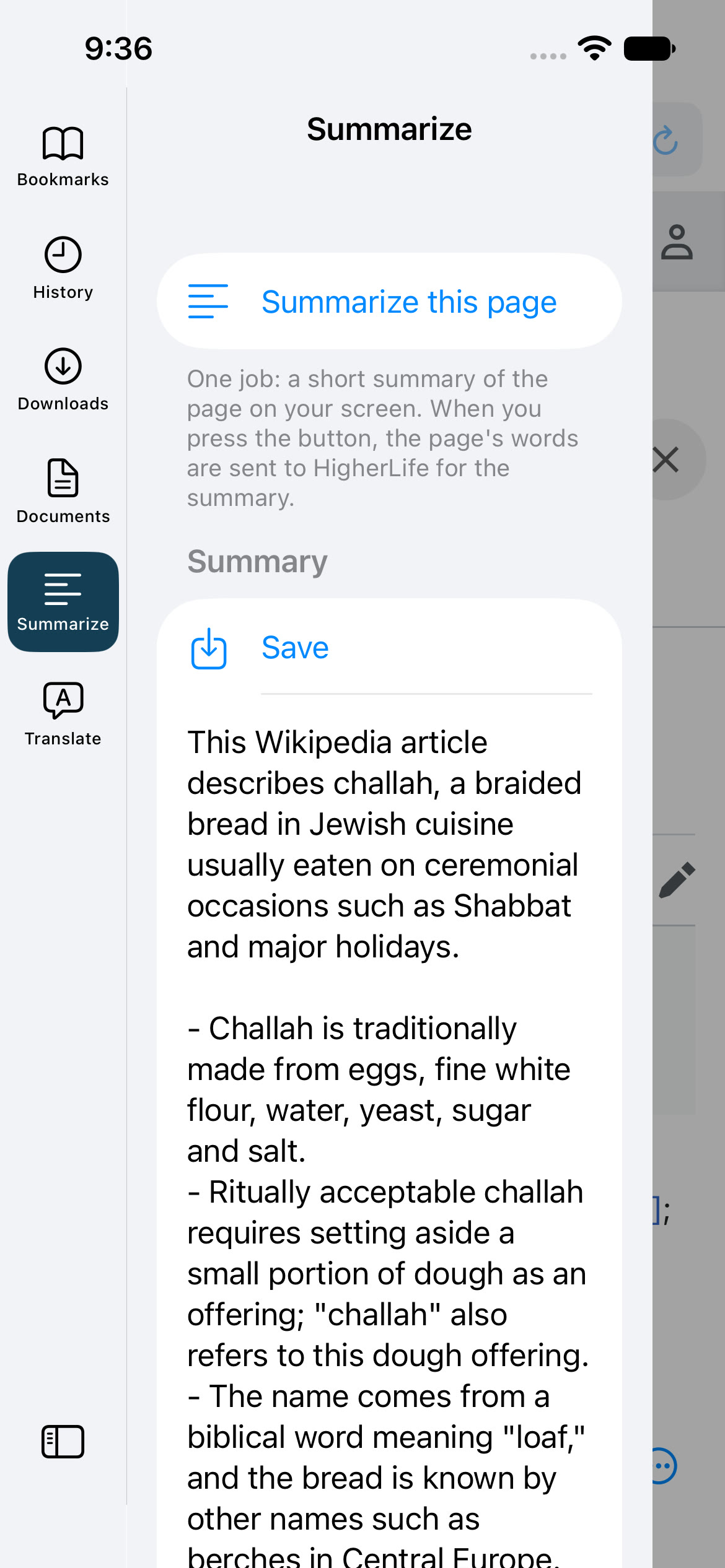
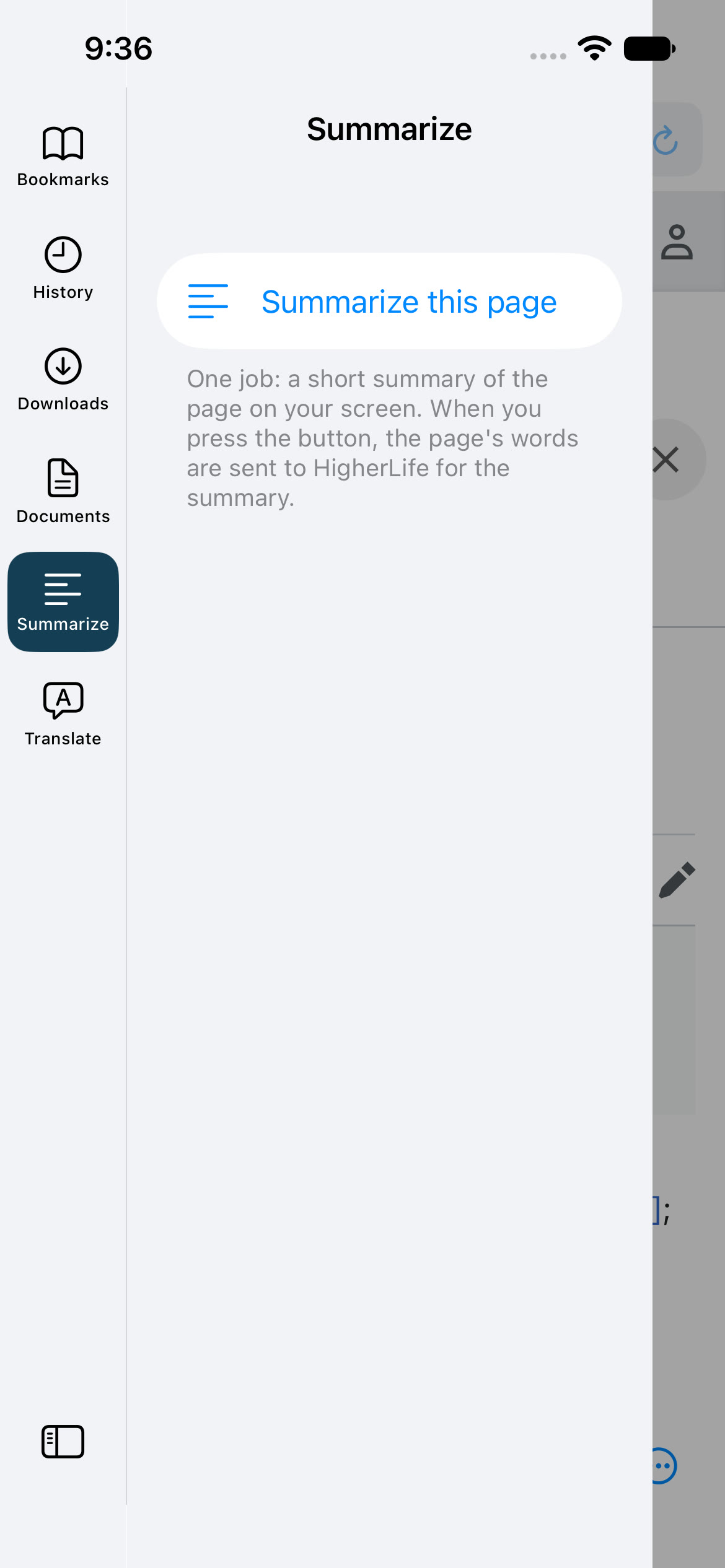
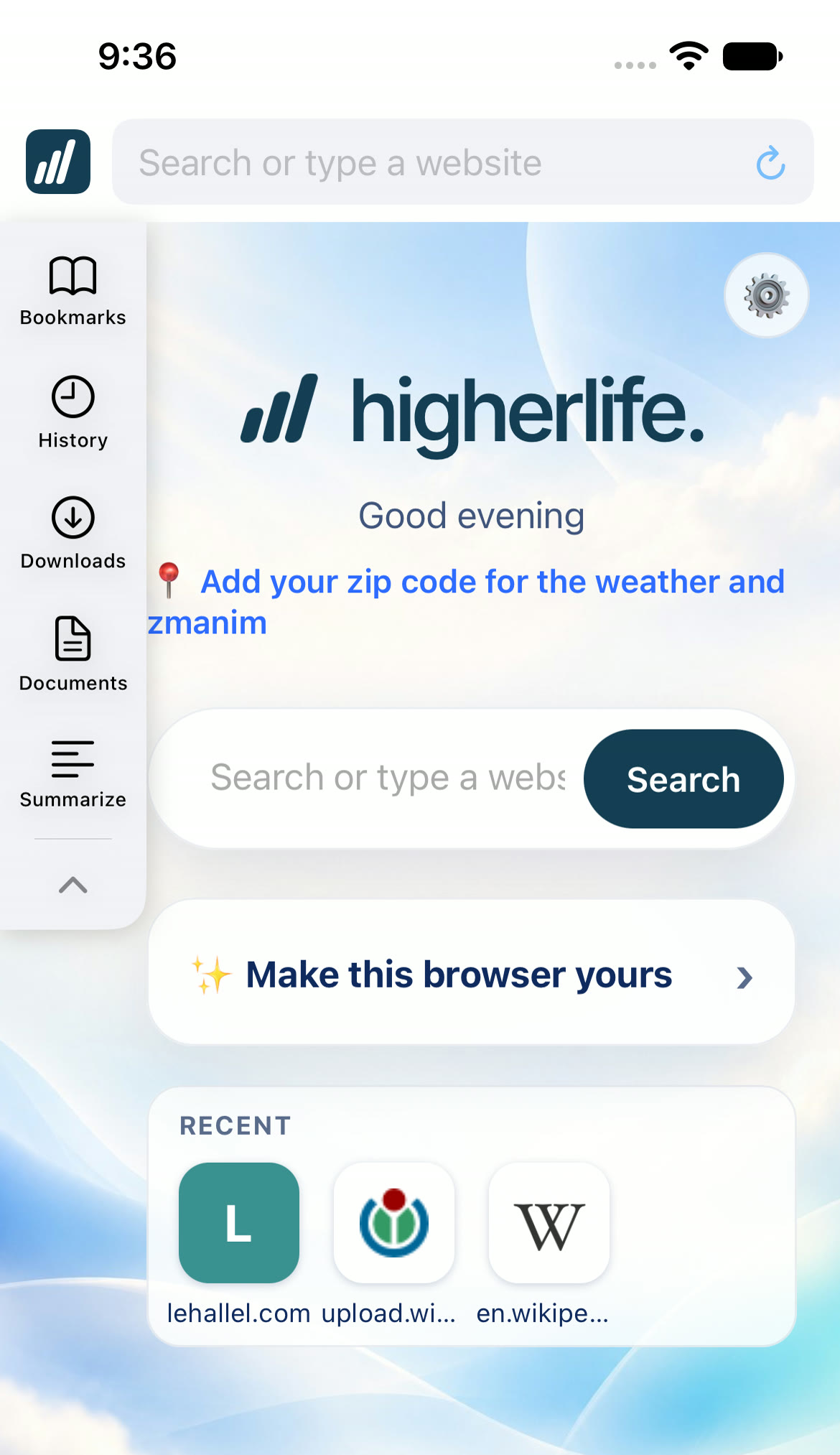
In the HigherLife browser, Summarize sits in the side tools, beside Bookmarks, History, Downloads and Documents. It is built in with Claude. Press it and the page you are reading comes back in a few short, clear lines. Save keeps the summary on the phone, in Documents. The tool says plainly what happens when you press it: the page's words are sent to HigherLife for the summary. And it does one job only, summarizing the page in front of you; there is no open chat box.
For families, that last point matters. A child gets the useful part of AI, a long page made short, without an open chat robot. And a parent can turn Summarize off for any phone on My HigherLife.
The three ways side by side
| Safari with Apple Intelligence | An AI chat app | A browser with Summarize built in | |
|---|---|---|---|
| Which iPhones | Those with Apple Intelligence | Any | Any that runs the browser |
| Steps | Page menu, Summarize | Copy, open the app, paste, ask | One press |
| Can it answer other things? | Apple Intelligence has other tools | Yes, anything | No, summaries only |
| Save the summary | Copy it yourself | In the chat | Save, on the phone |
| For a child's phone | Only if Safari is open | An open AI chat | A parent can turn it off |
When a summary helps most
Summaries are not for every page. They shine in a few everyday moments.
- A long news story. Get the facts first, then decide whether to read the whole report.
- A recipe with a long story on top. Ask for the ingredients and the steps.
- Instructions. How to renew a document, how a program at school works, what a store's return rules say.
- A page someone sent you. Know what it is about before you spend ten minutes on it.
- Comparing. Summarize three product pages and the differences stand out.
And they help least where every word matters: a contract, a medical page, a halachic source. There, the summary tells you what to look for; the page itself is what counts.
Summaries in a kosher home
Families who keep the internet narrow often ask whether AI belongs on a child's phone at all. The useful line many draw is between a tool and a conversation. A tool that turns one page into a few lines does one job and stops. An open chat can be asked anything, at any hour, and answers back. A summary button gives the first without the second, which is why some parents are comfortable with it on a phone where they would never allow an open chat app.
How to read a summary well
Every AI summary can be wrong. Apple's own guidance tells people to check important information. A few habits keep a summary useful.
- Use it to decide, not to quote. If something matters, a name, a date, a number, a halachic point, open the page and read it there.
- Notice what is missing. A summary chooses. If the page argues two sides, check that both made it into the summary.
- Be careful with Torah. A summary of a shiur or a sefer is not the shiur or the sefer. For halacha, ask your rav.
- Save what you will need again. A saved summary beside a bookmark saves rereading later.
Questions people ask
Can Safari summarize a web page?
Yes, on iPhones with Apple Intelligence: open the page menu in Safari and choose Summarize. Apple notes that Apple Intelligence is not available on every model, language or region.
How do I summarize a web page on an older iPhone?
Copy the page into an AI chat app and ask for a summary, or use a browser with Summarize built in, which works on any iPhone that runs it.
Are AI summaries accurate?
Often, not always. Use a summary to decide whether to read the page, and check anything important on the page itself.
Is my page private when I summarize it?
The page's words go to whoever makes the summary. The HigherLife browser says so on the Summarize tool itself. With any app, read how it treats what you send.
Can a child use Summarize without an open AI chat?
In the HigherLife browser, yes: Summarize does one job and has no chat box. A parent can also turn it off for a phone.
Can I save a summary?
In the HigherLife browser, Save keeps it in Documents. In other ways, copy it into a note.
Does Summarize work on every website?
It works on pages with text to read. A page that is mostly pictures or video has little to summarize, and a page the browser keeps closed is not opened just to summarize it.
Is summarizing a page the same as reading it?
No. A summary chooses what to keep. It is a fast way to know what a page is about, and a slow way to learn what it says. For anything that matters, read the page.
Can it summarize a shiur or a sefer?
It can summarize a page of text. A summary of Torah is not the Torah itself; for halacha, ask your rav.
Sources
- Apple, Use Apple Intelligence in Safari on iPhone (iPhone User Guide): summaries of webpages in Safari.
- Apple, Get webpage summaries (Apple Vision Pro User Guide): the same Summarize choice, and that Apple Intelligence is not available in all languages or regions.
- Pew Research Center, Teens, Social Media and AI Chatbots 2025: "Roughly two-thirds of teens (64%) say they ever use an AI chatbot."
- Anthropic, Claude: the AI model behind the HigherLife browser's Summarize.
- Wikipedia, Challah: the page summarized in the picture above.
- Apple, Set up parental controls to manage your child's iPhone or iPad (iOS 27).