Can You Trust a Kosher Phone? 12 Questions to Ask Before You Choose
You can trust a kosher phone when four answers are clear and in writing: whether it holds, what the company can see, what happens when something goes wrong, and what happens when you leave. Ask any company the twelve questions below. A good company answers each in a sentence or two. A vague answer is also an answer. And nobody honest promises that any protection is perfect.
Why trust is the real question
When families talk about kosher phones among themselves, they rarely ask which device has the best camera. They ask whether they can trust it, and they mean four different things.
They mean privacy. "I'm mortified to think that someone has access to my notes- I use it as my personal journal," one woman wrote. In the same thread, another woman, describing how a company had helped her back into her own locked phone, wrote: "They have better access to my phone than I do."
They mean control. One reason people give for setting up protection themselves is that "if you ever want to remove it or unblock you will be able to do it yourself." People who choose a service often give the opposite reason: they do not want to be able to.
They mean approval. "Just like I eat only food with a kosher certificate because I require external approval, I want a phone with external, rabbinical approval," a man in Israel told the Times of Israel.
And they mean service: whether anyone answers when a school form will not open on a Sunday night.
None of these can be read from a website's promises. They can be read from plain answers to plain questions.
The four things trust is made of
A setup can be strong on one and weak on another. The strictest protection in the world is not trustworthy if you cannot find out what it keeps about you, and the most private one is not worth much if it gives way the first time someone is tempted.
The 12 questions, with good and bad answers
Ask these of any company, app or person setting up a kosher phone for you. Ask them in writing if you can, and keep the answers.
| # | Ask | A good answer sounds like | A warning sign |
|---|---|---|---|
| It holds | |||
| 1 | Who can undo it, and how? | A clear name: "you, the account holder, from your account" or "the company, on your request". | "Nobody can ever undo it" (then how do you leave?) or "the phone's owner can turn it off in Settings". |
| 2 | What happens when Apple or Google updates the phone? | "You keep updating, and the protection stays." | "Do not update your phone." |
| 3 | What about pictures on the sites it lets through? | A specific answer. | "We block bad sites" and nothing more. |
| It is private | |||
| 4 | Exactly what do you keep about me and my phone? | A written list: account details, which phones, and a short description of anything else. | "Nothing" (no service keeps nothing) or no answer. |
| 5 | Can anyone at your company read my messages, photos, notes or passwords? | "No," with the reason. | Hesitation, or "only if needed". |
| 6 | Do you sell or share my information, or use it for advertising? | "Never," in the written policy. | A policy that does not say. |
| It answers | |||
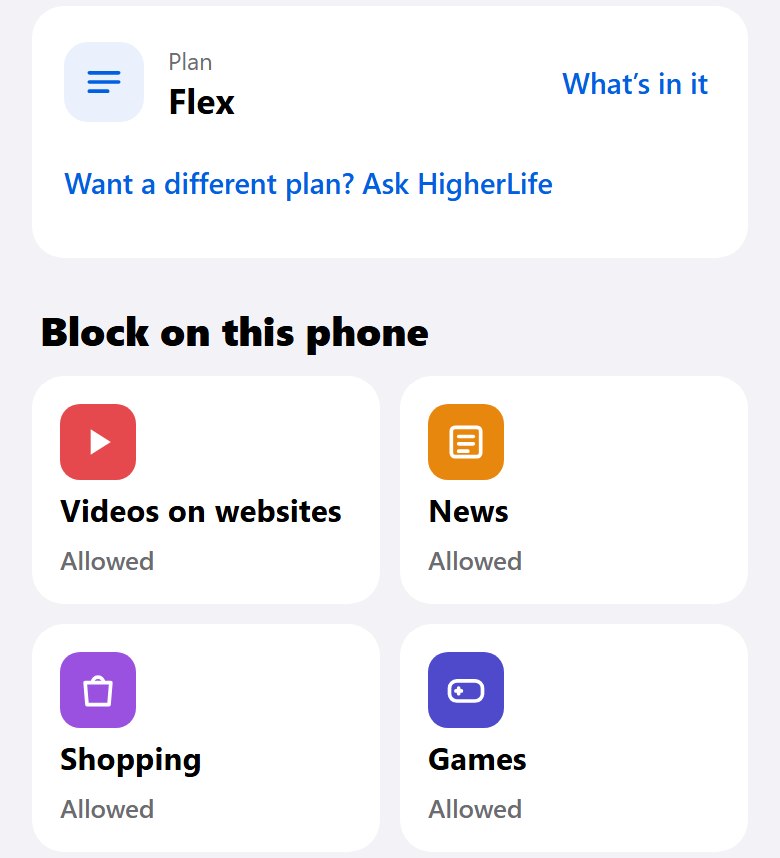
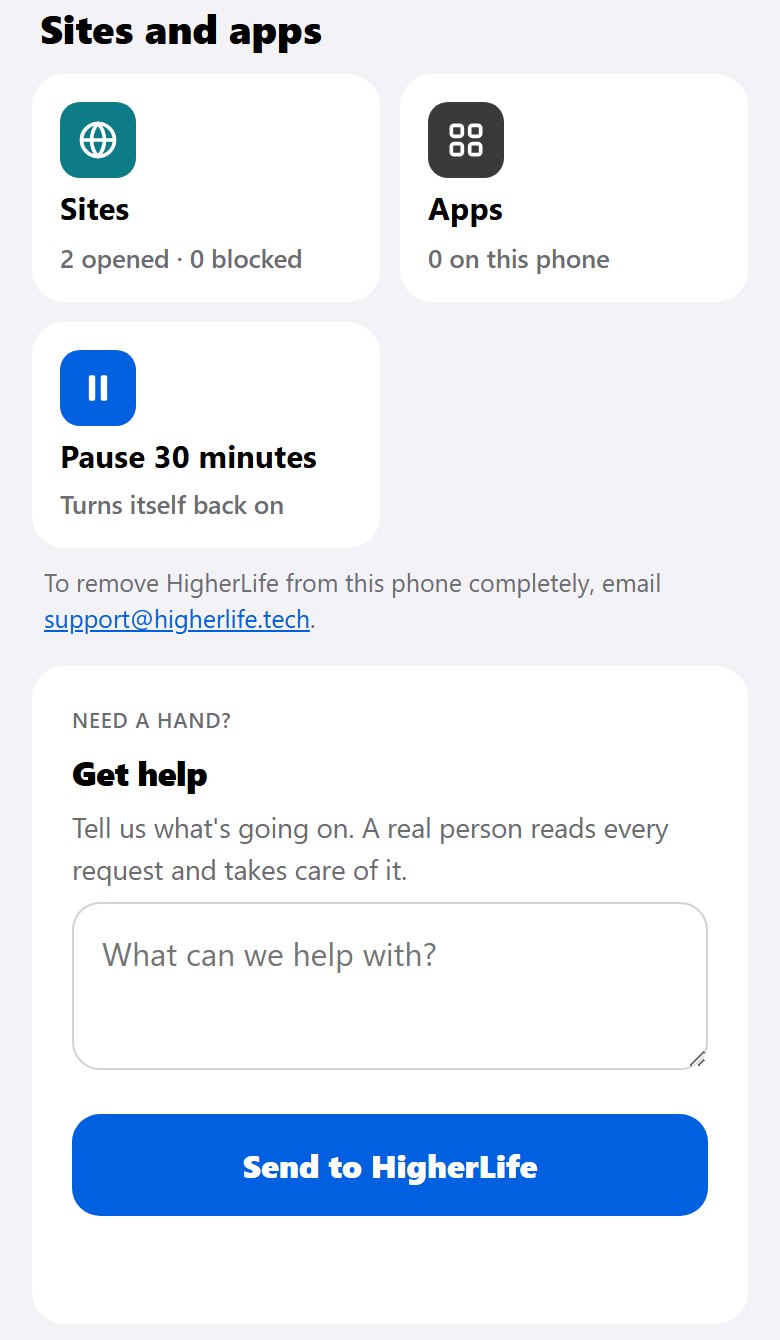
| 7 | When something I need is blocked, how do I ask, and who decides? | A simple way to ask and a named decision-maker. | "Just call us" with no hours, or "it can't be changed". |
| 8 | Is there a person to call? | A phone number a person answers. | Email only, or a number that never answers. |
| 9 | What do you promise, and what don't you? | Honesty that no protection is perfect, and a promise to fix what you report. | Any promise that nothing will ever get through. |
| It lets go | |||
| 10 | What does a whole year cost, and what happens when my term ends? | One number per phone per year, and a warning before anything stops. | Fees you discover later. |
| 11 | How do I stop, and what happens to my phone, apps, photos and chats? | A clear way to stop, and "what was yours stays yours". | No answer, or "you'll need a new phone". |
| 12 | Who approves it, and will my school accept it? | "Ask your rav and your school; here is what to show them." | A seal or stamp the seller made for itself, presented as a rabbinic approval. |
Six warning signs
- A promise of perfection. Honest providers say the opposite. Google's own help page for its setting that hides explicit sites says plainly that it is not perfect.
- A privacy policy that does not say what is kept. If they will not write it down, assume the worst.
- Pressure to buy a new phone when the one you own would do.
- No way to ask for something you need, or no person who answers.
- No way to stop, or a stop that costs you your apps, photos or number.
- An approval you cannot check. Ask who gave it, and ask your own rav whether it means anything to your home.
How to ask, word for word
Many people find it awkward to question a company, especially one recommended by a friend or a school. It helps to have the words ready. You can read this almost as it is, on the phone or in an email:
A script for your call
- "Before I decide, I have a few questions I ask everyone. Is now a good time?"
- "After the phone is set up, who can change it, and how?"
- "What exactly do you keep about me and my phone? Can you send me that in writing?"
- "If something I need for work or school is blocked, how do I ask, and how quickly does it usually open?"
- "Is there a person I can call, and when?"
- "What does one year cost for one phone, all in? And for my whole family?"
- "If I stop, how does that work, and what happens to my phone, my apps and my photos?"
- "What would you tell my school if they ask about it?"
- "Thank you. I will compare the answers and get back to you."
Notice how each company answers, not only what it answers. A company that is glad you asked, and gives you short, specific answers in writing, is telling you something about how it will treat you when something goes wrong. Pressure to decide on the spot is its own answer.
Why settings on a phone are easy to undo
Many families start with the protection built into the phone, and it is worth using. But the companies that make those tools are clear about their limits, and families should be too:
- Apple's iOS 26 guide says: "By default, Screen Time limits can be ignored once reached." They hold only when a Screen Time passcode is set and blocking is turned on.
- When an adult sets a Screen Time passcode for themselves, Apple offers a way to reset it with their own Apple Account. A lock whose key you can reset is a reminder, not a lock.
- Apple says its website approvals work "in Safari and other supported browser apps" (iOS 27). It does not promise that every browser or every app is covered.
- Google says that on an iPhone or a computer, a child whose account a parent manages "may also have access to other browsers where Family Link settings for Chrome won't apply."
None of this makes these tools useless. It means their strength depends on who holds the key. We never publish ways around any protection, and we would ask any company you consider not to either. It is enough to know that settings the person carrying the phone can change will, on some hard day, be changed.
"Will it slow my phone or break my apps?"
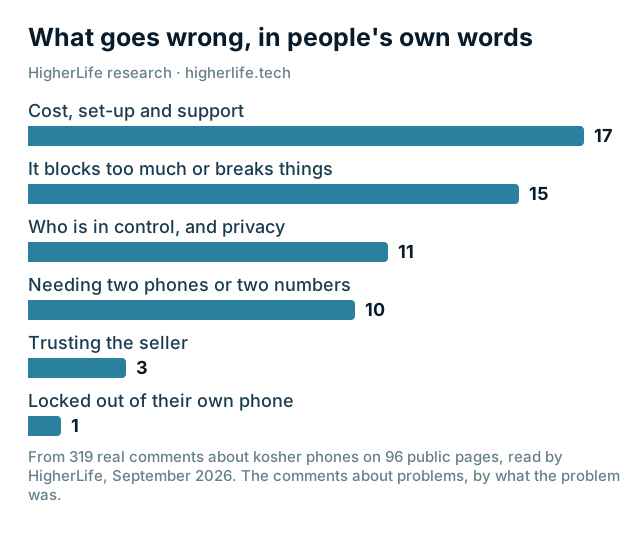
This is one of the most common complaints families make about protection they have tried (the chart above: only cost, set-up and support came up more often): phones that became slow, apps that stopped working, updates that failed, requests to open a site that took far too long.
You cannot know from a website how a setup will behave on your phone. You can find out on day one:
- Before setup, write down the apps and sites you must have.
- After setup, test each one: a call, a text with a photo, WhatsApp, your maps app, the bank's sign-in code, email, the camera and backup.
- Ask for one site to be opened, and time how long it takes.
- If anything fails, raise it the same day, while setup is fresh.
Our guide to making your own iPhone kosher has the full ten-minute day-one test.
What "approved" can and cannot tell you
Words like certified, approved and stamped mean different things in different places. In Israel, kosher phone lines are overseen by a rabbinical committee for communications. In America there is no single body: schools, communities and local rabbanim each decide what they accept, and a seller's own stamp is not the same as your community's approval. An approval tells you who looked at a phone. It does not tell you what that person looked at, or whether it fits your home.
The approval that matters most is the one from your rav and your child's school. Take these twelve questions with you when you ask them. Our guide to every kind of kosher phone explains the history.
Questions people ask
Can a kosher phone be gotten around?
Settings the person carrying the phone can change will eventually be changed. Protection held by someone else is much harder to get around. No honest company promises perfection, so ask what happens when something slips through, and how fast it is fixed.
What can a kosher phone company see?
It depends on the company, which is why you should ask for a written list. A service that decides which websites open needs to know which websites your phone asks for. It should not need your messages, photos, notes or passwords. If a company cannot tell you exactly what it keeps, keep looking.
Can kosher phones be tracked?
Any phone connects to the cell network, and apps you allow may use your location. Separately, ask the company whether it collects location at all. HigherLife's published privacy policy lists everything it keeps; location is not on that list.
Is my kosher phone really kosher?
Only your rav can answer what is kosher for your home. What you can check yourself is whether the phone does what you were told: test the sites and apps you should and should not reach, and ask the twelve questions above.
What happens to my apps and photos if I stop?
Ask this before you start. Your photos, chats and apps are yours. A trustworthy service tells you in advance exactly how stopping works and what, if anything, changes on your phone.
Will a kosher phone slow down my phone?
It should not, and you can check on day one. Test your everyday apps, your bank's sign-in code and a request to open a site, and raise anything that fails the same day.
What does "certified kosher phone" mean?
It depends on who certified it. In Israel, kosher lines are overseen by a rabbinical committee. In America, schools and communities decide for themselves, and a seller's own stamp is not the same as your community's approval. Ask who gave the approval, and ask your rav what it means for you.
What if I forget the passcode?
If you set a Screen Time passcode yourself, Apple lets you reset it with your Apple Account, if you turned that option on. If a service holds the key, ask them in advance how a lost passcode or a locked phone is handled, and who can prove to them that it is really you.
Sources
- HigherLife, Privacy Policy (updated September 15, 2026).
- HigherLife, Terms of Service (updated September 15, 2026).
- Apple, Set schedules with Screen Time (iPhone User Guide, iOS 26).
- Apple, Create, change, or remove a Screen Time passcode (iPhone User Guide, iOS 27).
- Apple, Set up parental controls to manage your child's iPhone or iPad (iOS 27): "in Safari and other supported browser apps".
- Apple, Block or allow access to apps and websites on your child's device.
- Google, Chrome and your child's Google Account (Google For Families Help).
- The Times of Israel, Kosher cellphone bill sparks debate (July 23, 2024).
- The Jerusalem Post, on kosher lines and the Rabbinical Committee for Communications Affairs (February 23, 2026).
- Imamother forum, a November 2022 thread on who can see what on a protected phone, and doing it yourself or using a service (November 2023).
- HigherLife research: 319 questions and comments from 96 community forum, news and review pages, 2010 to 2026, read in September 2026.