Kosher Phones in Brooklyn: Set Up In Person on Coney Island Avenue
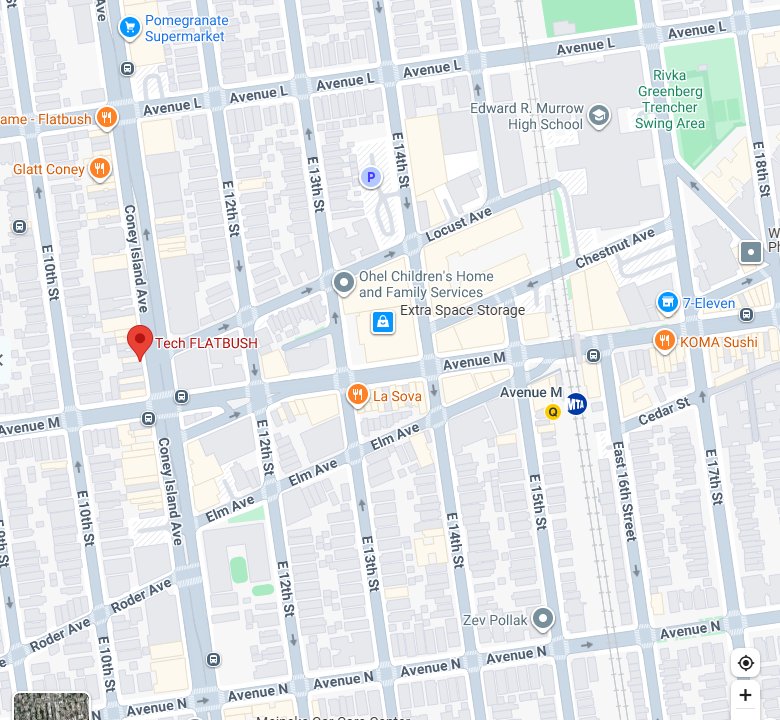
In Brooklyn, HigherLife sets up kosher iPhones in person, by appointment, at the Tech Flatbush location, 1622 Coney Island Avenue. You bring the iPhone you already own, choose one of four levels, and a HigherLife rep sets it up while you wait. Call or text (855) 904-0959 to book. Every plan is $80 for six months or $160 for a year, per phone.
Getting a kosher phone in Brooklyn
Brooklyn has more Jews than any other county in the New York area. As the New York Jewish Week reported on the 2023 Jewish Community Study of New York, "Brooklyn is home to the most Jews in the area — 462,000, about a third of the total," and New York City's Jewish population is "almost a third haredi, at more than 300,000, most of whom live in Brooklyn." Across the New York area, about 430,000 Jews live in Orthodox households, including 181,000 of the area's 296,000 Jewish children, about 61 percent.
That is a lot of families making the same decision at the same time: what phone should my child carry, what phone should I carry, and what will our school accept? Brooklyn has long had phone stores that sell basic and kosher phones, especially in Borough Park and Williamsburg. What has been harder to find is a place that takes the iPhone a family already owns and sets it up properly, in person, with someone who answers the phone afterward. That is what a HigherLife appointment on Coney Island Avenue is for.
A phone store or a set-up appointment?
These are two different things, and knowing which one you need saves a trip.
| A kosher phone store | A HigherLife set-up appointment | |
|---|---|---|
| What you leave with | A new device, usually a basic or specially built phone | The iPhone you came with, set up at the level you chose |
| The phone | A new device; your number can move to it | You keep the iPhone you brought |
| Walk in? | Usually | By appointment |
| Best if | You or your school want a basic phone | You want a real smartphone, and it is an iPhone |
If your school requires a basic phone, a store is the right place to go. If your family needs a real smartphone and you already own an iPhone, an appointment is the shorter road. Our guide to every kind of kosher phone sets all the options side by side.
Before you come: decide these five things
An appointment goes fastest when the decisions are made at the kitchen table, not at the counter. Talk these through at home first.
Five decisions to make at home
- Whose phone is it? A child's first phone, a teenager's, a parent's, a grandparent's. The level follows the person.
- What must it keep? Write the list: WhatsApp, maps, the bank, email, the camera, the car service, school and work apps. Star the ones used every day.
- What must it keep out? Be specific. This is the reason you are coming.
- Which level fits? Focus, Balance, Flex or Freedom (the one-line description of each is at the end of this guide). A child's first phone usually starts on Focus.
- What does your school accept? If it matters, ask the school before the appointment, not after.
What to bring
A short list, and every item matters.
Bring with you
- The iPhone, charged, and a charger if the battery is low.
- A recent backup. Before any change to a phone, back it up: Settings, tap your name, iCloud, iCloud Backup.
- The email address you want to use for My HigherLife, where you will manage the phone afterward.
- Payment: card or cash. Every plan is $80 for six months or $160 for a year, per phone, with no setup fee.
- For a child's phone, the child, if you can. Many parents find children accept rules more easily when they were in the room when the rules were set.
What happens at the appointment
- You choose the plan. The rep can talk it through with you, but it helps to arrive with a first choice from your kitchen-table talk.
- The rep sets up the phone while you wait. You do not leave the phone behind.
- You leave with the protection on, on the iPhone you brought.
- You get into My HigherLife, with the email address you gave at set-up. That is where a parent or guardian looks after every phone in the family: plans, phones, billing and the choices for each phone.
How the protection works inside stays with us. What you see is the result: what you need stays on the phone, and what falls outside your plan is closed. HigherLife's own terms say it plainly: "No protection is perfect." They also promise "to fix what you report to us."
After you leave
- Test it the same day. A call, a text with a photo, WhatsApp, your maps app, the bank's sign-in code, email and the camera. Our guide to making your own iPhone kosher has the full ten-minute test.
- If something you need does not work, call or text the same day, at (855) 904-0959, or write to support@higherlife.tech.
- When life changes, change the level yourself, from My HigherLife, with no list, no call and no waiting on anyone.
- Keep your term in mind. You can see your term and its end date in My HigherLife, and HigherLife's terms say: "If a term ends we will tell you before anything stops."
Setting up the whole family in one visit
Many families set up several phones at once: a parent's, a teenager's, a child's first phone. One visit is easier for everyone if you plan it the way you would plan any family errand.
- Say how many phones when you book, so there is time for all of them.
- Decide the level for each phone at home. A child's first phone usually starts on Focus. A parent's own phone might be Balance, Flex or Freedom. Your family decides.
- Talk to the teenagers before the trip, not in the car. A teenager who helped choose the level and the keep list arrives as a partner, not a prisoner.
- Parents go first. Children notice who keeps the rules. Several parents we read on community forums made the same point: a rule for the children is hard to defend if the parents do not keep it too.
- One parent or guardian manages every phone from My HigherLife afterward, so decide in advance who that will be, and bring the email address they will use.
- Every phone is its own plan, at the same price: $80 for six months or $160 for a year, per phone.
What Brooklyn schools expect
Many Brooklyn families choose a phone because a school asked them to. The rules differ from school to school, so ask your own.
- Yeshivos and Bais Yaakovs set their own phone rules, and many are strict. Some require a specific kind of phone. Ask before you choose.
- Modern Orthodox high schools: in 2022 a group of Modern Orthodox yeshiva high schools, most of them in the New York area and including Yeshivah of Flatbush, committed together to "making our classrooms and most of our school days smartphone free."
- New York public schools have restricted smartphones for the whole school day since the 2025 to 2026 school year, while still allowing "simple cellphones without internet capability."
When you ask your school, bring the twelve questions from our guide to trusting a kosher phone, so you can show them exactly what the phone does and who holds the key.
If you choose a phone store instead
A basic phone is the right answer for many people, and Brooklyn has plenty of stores that sell them. If that is your road, these questions will save you a second trip:
Ask at any phone store
- Will my number move to this phone, and will texts from iPhones still reach me?
- Can I type easily on it? Let me try writing a message.
- How long does the battery last in a normal day?
- Does it do what I need: WhatsApp, maps, the bank's code? Show me.
- What does a whole year cost, including the plan and any service fee?
- Will my child's school accept it?
- If I do not like it in the first week, can I bring it back?
The first question matters more than it looks. When a number moves from an iPhone to a basic phone, texts from other iPhones may stop arriving until the number is taken off Apple's messaging. Apple has a page for exactly that.
Getting there
HigherLife
At the Tech Flatbush location
1622 Coney Island Avenue
Brooklyn, NY 11230
Call or text (855) 904-0959
HigherLife is not affiliated with Tech Flatbush. The Tech Flatbush location is on Coney Island Avenue in Midwood, in the heart of the Flatbush and Midwood Jewish community. Set-up is by appointment, so please call or text before you come.
Directions in Google Maps Directions in Apple Maps
Coming from further away
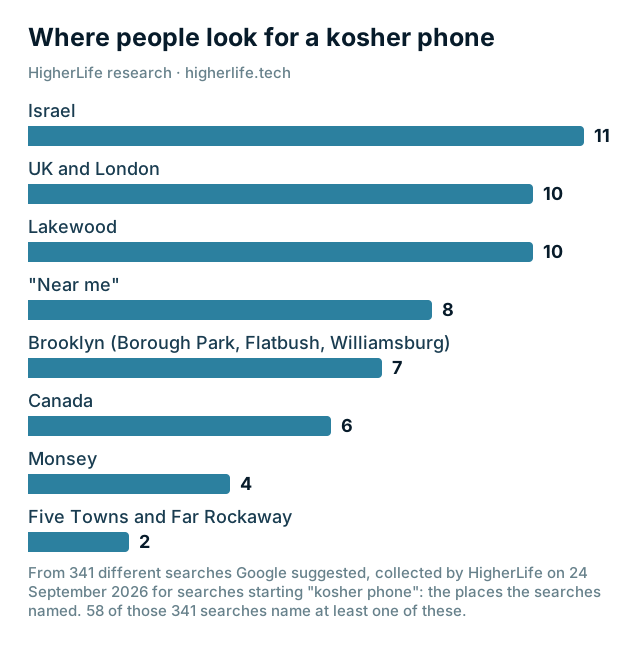
Coney Island Avenue is an easy trip from much of Brooklyn, and Borough Park, Kensington, Marine Park and Manhattan Beach are close by. Families from further away can come for the same reason: the set-up is done once, in person, and after that the phone is looked after from My HigherLife, wherever you live.
- From Williamsburg or Crown Heights: book a time and bring every phone in the family that you want set up. Say how many when you book.
- From Staten Island, Queens or the Five Towns: the same, and plan one trip for the whole family.
- From Lakewood, Monsey or further: call or text first to find a time that makes the trip worthwhile.
After the appointment, changes happen in My HigherLife, and help is a call or a text away. Removing the protection from a phone is done with a HigherLife rep.
Questions people ask
Where can I get a kosher phone in Brooklyn?
For a basic or specially built phone, Brooklyn's phone stores, especially in Borough Park and Williamsburg. To have the iPhone you already own set up, HigherLife works by appointment at the Tech Flatbush location, 1622 Coney Island Avenue.
Do I need an appointment?
Yes. Call or text (855) 904-0959 with your name and the plan you have in mind, and a HigherLife rep will arrange a time.
What should I bring?
The iPhone, charged; a recent backup; the email address you want to use for My HigherLife; and a card or cash.
Do I have to leave my phone there?
No. The rep sets the phone up while you wait, and you leave with it.
Can I pay in cash?
Yes. Every plan is paid up front, by card or cash: $80 for six months or $160 for a year, per phone, with no setup fee.
Is HigherLife part of Tech Flatbush?
No. HigherLife is available for appointments at the Tech Flatbush location, and HigherLife is not affiliated with Tech Flatbush.
Can you set up my child's phone?
Yes. A child's first phone usually starts on Focus. A parent or guardian then looks after it from My HigherLife and can change the level as the child grows.
I live in Lakewood or Monsey. Can I still use HigherLife?
Set-up is in person, by appointment, at the Tech Flatbush location on Coney Island Avenue. Call or text first to find a time that makes the trip worthwhile. After that, the level and everything else is managed from My HigherLife; removing the protection from a phone is done with a HigherLife rep.
Sources
- UJA-Federation of New York, 2023 Jewish Community Study of New York (May 9, 2024): 430,000 Jews in Orthodox households; 181,000 of 296,000 children.
- JTA / New York Jewish Week, Nearly 1 million Jews live in NYC, new study finds (May 9, 2024): Brooklyn's 462,000.
- HigherLife, Get started: the four steps and the appointment location.
- HigherLife, Terms of Service (updated September 15, 2026).
- HigherLife, Privacy Policy (updated September 15, 2026).
- Apple, How to back up your iPhone or iPad with iCloud.
- Apple, Deregister iMessage.
- The Jewish Link, Yeshiva high schools' mobile phone policy (September 2022).
- Office of the Governor of New York, Distraction-free schools (May 6, 2025).