A Kosher Phone for Seniors: Simple, Big, and Safe
The right phone for an older parent or grandparent is the one that does what they actually use: calls, the family group, a few photos, in large, clear text. It leaves out everything else. For many people that is a simple flip phone. For someone who wants to be in the family's chats, a smartphone with kosher protection, large text and a short home screen is a better fit.
What makes a phone right for an older parent or grandparent
Most phones are built for the busiest person in the house. They come with dozens of apps and constant updates, and something on the screen is different every morning. An older parent or grandparent usually wants the opposite: a phone that does a few things well, looks the same every day and never surprises them.
Nearly everyone carries a phone now. Pew Research Center's 2025 survey found that 98% of American adults own a cellphone of some kind, and 91% own a smartphone. For most families, then, the question is not whether Bubby or Zeidy should have a phone. The questions are which phone, and how it is set up on the first day.
Before you look at any brand or model, start with four plain questions:
- Who do they need to reach? Usually a short list: children, grandchildren, a doctor, a neighbor, the shul.
- What do they want to see? Photos of the grandchildren, a message about a simcha, sometimes a shiur or the time of a minyan.
- What can they read comfortably? Text size and screen size matter more than any list of features.
- Who do they call when something looks wrong? A phone without an answer to this question tends to end up in a drawer.
Everything on the left can be done on more than one kind of phone. Everything on the right is what tends to wear an older person down: a screen that keeps changing, noise nobody asked for, and the feeling of being lost inside a device that was supposed to make life easier.
Is a simple flip phone enough?
For many people it is, and it deserves real respect. A flip phone makes calls, sends texts, fits in a pocket and does not change from one month to the next. If your father calls the same six people and texts two of them, a flip phone may be the best phone he ever owns.
Communities have long treated this as a real choice, not a compromise. The Times of Israel reported in 2023 that Israel's kosher phones come without browsers and messaging apps. Phone rules also do not have to be all or nothing. JTA reported in 2015 that a form in the Hasidic village of Kiryas Joel listed levels of restriction, from email only, to basic apps, to browsing with protection.
Where a flip phone strains is the family. Children and grandchildren plan simchas, send photos and share voice notes in one group. Pew found that 32% of American adults used WhatsApp in 2025, up from 22% in 2018, and about a quarter of American teens (24%) use it too. When the whole family lives in one group, a grandparent on a flip phone can end up hearing the news last.
The second strain is typing. Small keys, and pressing one key three times for a single letter, are hard on many hands and eyes at any age. Some grandparents are happy to call instead. Others want a real keyboard and a screen big enough to see a photo of the new baby.
If calls and a few texts really are all that is wanted, you can stop here: a simple flip phone is a good answer. The rest of this guide is for families who want something in between.
Can a grandparent be in the family WhatsApp group on a kosher phone?
This is the question we hear most from grown children shopping for a parent, in one form or another: she does not need the internet, she needs the family group. It is a fair request, and an ordinary smartphone answers it badly. The family group comes bundled with Status updates, Channels, Communities, forwarded videos and messages from anyone who has the number.
HigherLife built its own app for this: Filtered WhatsApp. It shows only the people and groups you approve. There is no Status, no Channels and no Communities. People in pictures are shaded, the way you choose in My HigherLife, and the app can be closed for Shabbos if you choose.
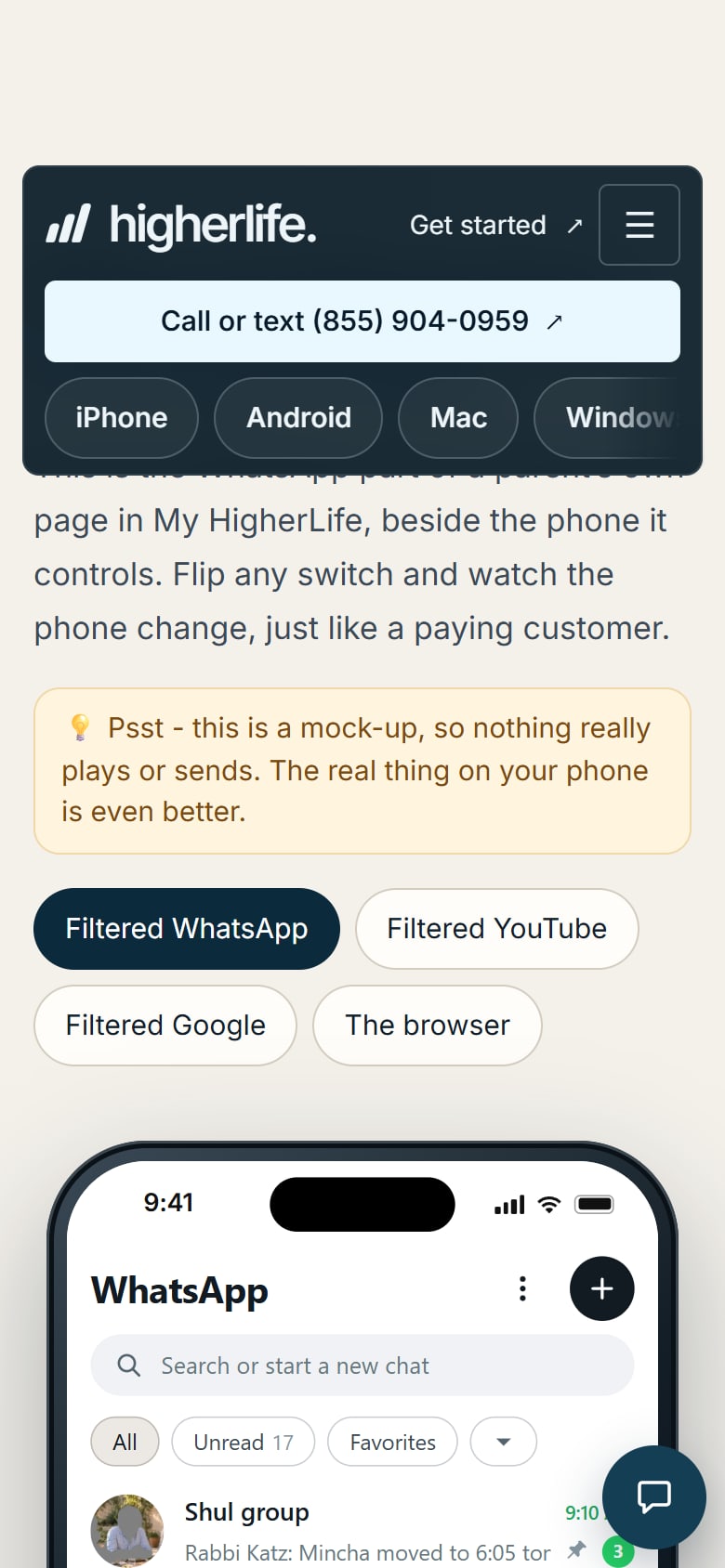
For a grandparent, that is close to a wish list. The children, the grandchildren, the family group and the shul's group if you approve it, and nothing else coming in. The video at the top of this guide shows the Filtered WhatsApp settings in My HigherLife.
There is one limit, and you should know it up front. Filtered WhatsApp is on iPhone. HigherLife for Android is coming soon. If the family group is the main reason for the phone, choose an iPhone. Our guide to kosher WhatsApp goes through the choices in more detail.
Big text, big buttons and fewer choices
Search for a phone for seniors and you will find phones sold on the size of their buttons. Size does matter. In our experience, though, what makes a phone easy is not mainly how big the buttons are. It is how few of them there are.
Both iPhone and Android let you make the text larger and bolder, and the ringer louder, in their own settings. Do this on the first day, with the person who will use the phone sitting beside you. Keep adjusting until they can read a message comfortably at the distance they naturally hold the phone.
Then make the first screen short:
- Only the apps they use. Phone, messages, the family's chats, the camera and photos. Move everything else off the first screen.
- Faces, not just names. Add a photo to each of the people they call most, so the right person is easy to spot.
- The same place every time. Once the screen is arranged, leave it alone. An icon that moves is an icon that gets lost.
- Sound and vibration they notice. A louder ring and a stronger buzz help more than any setting they will never open.
- A card by the phone. Write down the number to call for help and keep it next to the charger.
None of this needs a special phone. It needs half an hour and some patience. Teach one thing at a time, and let them do it themselves while you watch, even when it would be faster to do it for them.
Android or iPhone for a grandparent?
HigherLife works on both, so start with the person, not the brand. A grandparent who has used a Samsung for years already knows where things are on it. Learning a new phone is work at any age, and a familiar phone often wins over a new one.
Then look at what they need. On iPhone, HigherLife brings the HigherLife browser, with every page checked and pictures shaded, plus apps we built ourselves:
- Filtered WhatsApp, with only the people and groups you approve.
- Filtered YouTube, which opens to your channels and their newest videos. You can block a channel or a word in a title, and turn comments, live chat and search on or off.
- Summarize, built in with Claude in the HigherLife browser. Press it on a long page and it comes back in a few short, clear lines. Save keeps them.
HigherLife for Android is coming soon. Filtered WhatsApp, Filtered YouTube and Summarize are on iPhone.
A simple rule of thumb: if the family group is the reason for the phone, choose iPhone. If they mostly call, text and want to look things up safely on a phone they already know, Android works well. Our guide to kosher phones compares the kinds of phone side by side, and our guide to kosher phone apps goes app by app.
What HigherLife does on an Android phone today
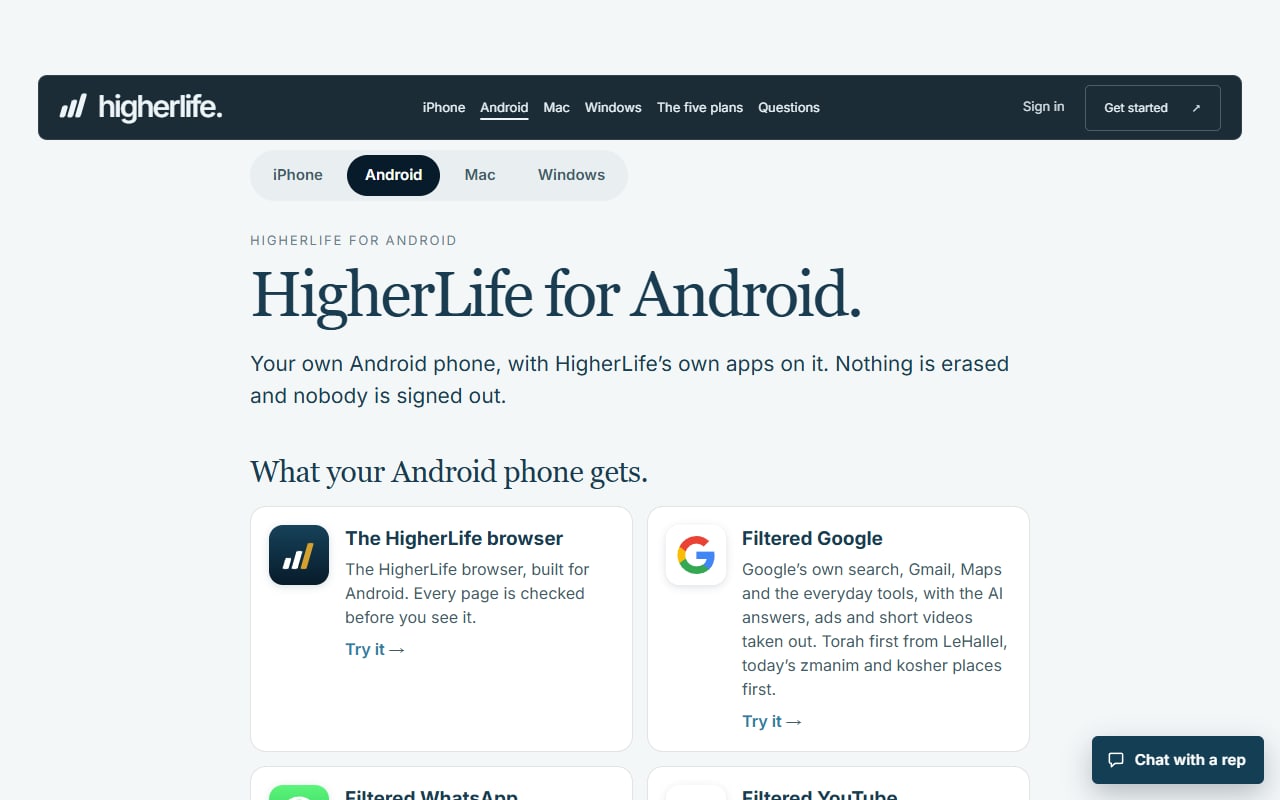
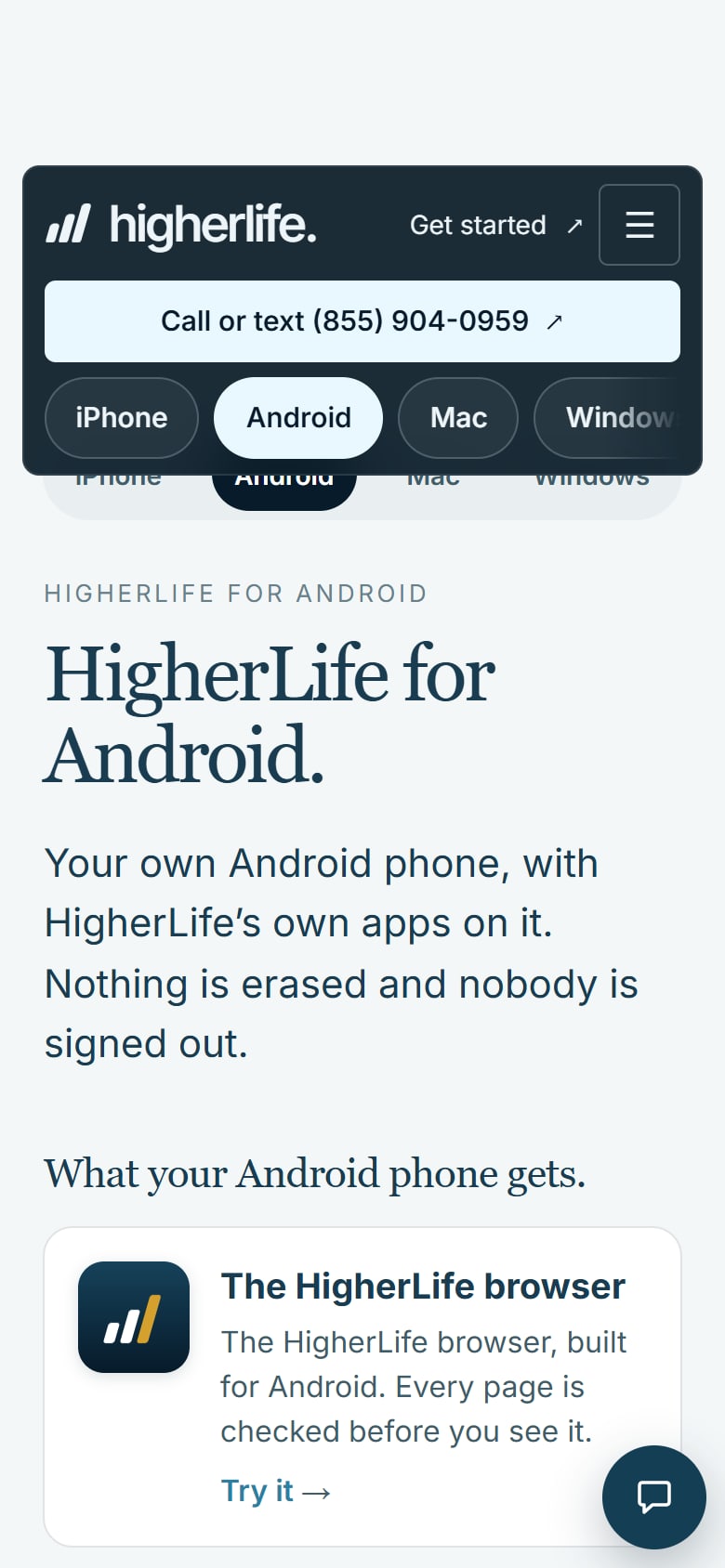
Plenty of grandparents already carry an Android phone, sometimes one a grandchild handed down. HigherLife for Android is coming soon for new customers. For the customers who have it today, it keeps the promise short:
- The HigherLife browser. Every page is checked.
- Pictures shaded. People in pictures are shaded, the way you choose in My HigherLife.
- Looked after from My HigherLife. You manage every phone in the family from My HigherLife, and you can change a phone's level any time.
That is everything we claim for Android today, and we would rather say so plainly. If they need Filtered WhatsApp or Summarize, see the iPhone list above.
New Android setups are not open today; we set up iPhone, with a HigherLife rep in person while you wait at 1622 Coney Island Avenue in Brooklyn, by appointment, or on a phone call. Our guide to a kosher Android phone has more.
Start from what they do every day
Before you choose, sit down with the person who will carry the phone and go through this list together. Skip the rows that do not matter to them. The answer is usually clear by the end.
| If they mainly want to… | A simple flip phone | A smartphone as it comes | A smartphone with HigherLife |
|---|---|---|---|
| Call the family and friends | Yes. This is what it does best. | Yes. | Yes. |
| Be in the family WhatsApp group | Usually not. Ask before you buy. | Yes, along with Status, Channels and messages from anyone. | On iPhone, Filtered WhatsApp: only the people and groups you approve, with no Status, Channels or Communities. Not on Android today. |
| See the grandchildren's photos | On a small screen, if at all. | Yes. | In approved chats on iPhone. People in pictures are shaded, the way you choose in My HigherLife. |
| Look up a phone number, a store's hours or a time | Usually not. | Yes, with everything else a tap away. | Yes, in the HigherLife browser on iPhone: every page checked, pictures shaded. |
| Read a long page from the shul or the school | No. | Yes, all of it. | On iPhone, Summarize, built in with Claude, brings it back in a few short, clear lines. |
| Watch a shiur from a favorite channel | No. | Yes, with the rest of YouTube beside it. | On iPhone, Filtered YouTube opens to your channels and their newest videos. |
| Get help when something looks wrong | Few settings to go wrong. | Whenever someone in the family is free. | Ask in My HigherLife and our support team answers in the same minute, or call or text (855) 904-0959. |
Read across each row. If most of the rows that matter land in the first column, a flip phone is the honest answer. If the family group and looking things up matter, the last column is built for that. Which phone, iPhone or Android, depends on whether WhatsApp is on the list.
Feeds, pictures and the things nobody asked for
An ordinary smartphone does not wait to be asked. Feeds refill themselves, videos start playing and notices arrive all day. For someone who picked up the phone to call a granddaughter, all of that is noise, and it can be confusing noise.
It also pulls at attention. In a 2015 study, phone notifications alone disrupted people's performance on an attention task, even when they never touched the phone (Stothart, Mitchum and Yehnert). That finding was not about older people in particular. It applies to everyone, which is reason enough to turn the noise down.
A calm phone keeps most of that quiet:
- Turn off notices from every app except calls and the family's messages. Both iPhone and Android let you do this app by app in their settings.
- Leave out the endless parts. Filtered WhatsApp on iPhone has no Status, no Channels and no Communities, only the people and groups you approve.
- Choose how pictures look. In the HigherLife browser, on iPhone, people in pictures are shaded, the way you choose in My HigherLife.
- Keep the first screen still. Fewer icons means fewer things that can light up, and fewer things to tap by mistake.
Pictures deserve a word of their own. Grandparents want to see their grandchildren, and families draw the line on everything else differently. Talk through the picture choice with your rep, so the phone shows what the family is comfortable with.
Whose phone is it? Deciding together
When a grown child buys a phone for a parent, it is tempting to make every choice for them. Try not to. A grandparent is an adult who raised a family and ran a home, and a phone set up behind their back is a phone they will not trust.
Some older people ask for a protected phone themselves, because they want the family's news without the rest. Others agree to one because the family asked. Either way, it goes better when they hear plainly what the phone does, help choose the people in their chats, and know whom to call.
With HigherLife, every phone in the family is managed from My HigherLife, and a phone's level can be changed any time. Decide together, out loud, who in the family looks after that. Then write it on the card next to the phone, so nobody has to guess later.
Respect works in both directions. A grandparent who says the phone is too much should be heard, even if the family finds it simple. Change the level, take an app off the first screen or go back to a flip phone. The phone is there to serve them.
When something stops working
Every phone, at some point, does something unexpected. A setting changes, an app asks a question, or the screen looks different. For an older person, that moment often decides whether they keep using the phone. If they have to wait until a grandchild visits on Sunday, they will quietly stop using it.
HigherLife's answer is help within a minute. Ask in My HigherLife and our support team answers in the same minute, and takes care of it for you. You can also call or text (855) 904-0959, or write to support@higherlife.tech.
Write that number on the card by the phone, in large print. It also helps to agree in advance on one person in the family who gets the first call. A grandparent who knows exactly whom to ask is far more willing to try something new.
The phone at the table and at bedtime
Grandparents often notice what phones do to a family table before anyone else does, and research supports that impression. In two experiments, the mere presence of a phone during a conversation reduced closeness, connection and conversation quality (Przybylski and Weinstein, 2013). In a field study of more than 300 people at restaurant meals, those with phones on the table felt more distracted and enjoyed their time with friends and family less (Dwyer, Kushlev and Dunn, 2018).
Evenings matter too. In a small 2015 laboratory study, people who read on a light-emitting screen before bed instead of a printed book took longer to fall asleep, produced less melatonin and were less alert the next morning (Chang and colleagues, PNAS). That study used an e-reader, not a phone, but many families take the hint.
Two habits help at any age. The phone stays in a pocket at the table, and it charges somewhere other than the pillow. If a grandparent wants the phone close at night for peace of mind, that is reasonable. Turn its sound down for everyone except the family. A grandparent who keeps these habits teaches them to the grandchildren without saying a word.
When a plain phone is the better choice
We set up smartphones, and we would rather you choose well than choose us.
- Calls are everything. If they call, answer and do little else, a simple flip phone is easier and hard to get wrong.
- The touch screen is a struggle. If it still frustrates them after a patient week, physical keys may suit them better.
- A new phone would confuse them. If any change would be hard, the phone they already know may be the kindest choice, whatever kind it is.
- The family group is the point. If being part of the family's daily life matters most, a smartphone with protection fits better, and an iPhone if they need Filtered WhatsApp.
- They want to look things up. A phone number, a store's hours, a time: the HigherLife browser does this on iPhone, with every page checked.
Families and rabbanim draw these lines differently, and every one of these choices can be the right one for a particular home: a flip phone, no phone, an open phone or a protected one.
Questions people ask
What is the best kosher phone for an elderly parent?
The one that matches what they actually use. For calls and a few texts, a simple flip phone. For the family group, photos and looking things up, a smartphone with kosher protection, large text and a short first screen. If WhatsApp is the reason, choose an iPhone with HigherLife, which is where Filtered WhatsApp is.
Can my grandmother use WhatsApp on a kosher phone?
On an iPhone with HigherLife, yes, through Filtered WhatsApp. It shows only the people and groups you approve, with no Status, Channels or Communities, and pictures shaded the way you choose. HigherLife for Android is coming soon.
Is there a big-button kosher phone?
Flip phones have physical keys. On a smartphone, iPhone and Android both let you make the text larger and bolder in their own settings. A short first screen with only a few apps also makes every button easier to find. Set it up together on the first day.
Does HigherLife work on an Android phone?
HigherLife for Android is coming soon for new customers. For the customers who have it today, it brings the HigherLife browser, with every page checked and pictures shaded. Filtered WhatsApp, Filtered YouTube and Summarize are on iPhone.
How much does HigherLife cost for a grandparent's phone?
$80 for six months or $160 for a year, per phone, paid up front, by card or cash, with no setup fee. The price is the same on every plan.
Can the family get help without driving over?
Yes. Ask in My HigherLife and our support team answers in the same minute, and takes care of it for you. You can also call or text (855) 904-0959, or write to support@higherlife.tech.
Where is the phone set up?
With a HigherLife rep, while you wait, at 1622 Coney Island Avenue in Brooklyn, by appointment, or on a phone call.
Is a flip phone more kosher than a protected smartphone?
Communities and rabbanim have answered this differently. In Israel, kosher phones come without browsers or messaging apps. Elsewhere, communities have described levels a family can choose from. It depends on the person and the home. For the halachic question, ask your rav.
Sources
- Pew Research Center, Mobile Fact Sheet, 20 November 2025.
- The Times of Israel, Communications minister dials back kosher phone reforms opposed by ultra-Orthodox, 3 January 2023.
- JTA, Hasidic village makes parents choose children's education or smartphone, 5 August 2015.
- Pew Research Center, Social Media Fact Sheet, 20 November 2025.
- Pew Research Center, Teens, Social Media and AI Chatbots 2025, 9 December 2025.
- Stothart, Mitchum and Yehnert, Journal of Experimental Psychology: Human Perception and Performance (2015).
- Przybylski and Weinstein, Journal of Social and Personal Relationships 30:237-246 (2013).
- Dwyer, Kushlev and Dunn, Journal of Experimental Social Psychology 78:233-239 (2018).
- Chang, Aeschbach, Duffy and Czeisler, Proceedings of the National Academy of Sciences (2015).