Kosher Phones in Lakewood: Your Choices, and Set-Up From Home
Lakewood families choose among no phone, a plain talk-and-text phone, and a smartphone protected for a Torah home. The right one depends on the person and on the school's rules. If you choose a protected iPhone or Android with HigherLife, you do not need to drive. You can order online and set it up at home, or set it up with a HigherLife rep on a phone call.
What Lakewood families choose today
In Lakewood, the phone question is almost never about one phone. It is about a whole household:
- a husband's phone for work
- a wife's phone for the house and the carpool
- a bachur's phone that has to fit his yeshiva's rules
- a girl in high school who needs to reach her friends and her teachers
- a grandparent who wants to see the grandchildren on a bigger screen
Each one is a separate decision, and each one comes back as the next child grows.
That is true across the Orthodox world, not only here. Pew Research Center found in 2020 that Orthodox Jewish adults in the United States report an average of 3.3 children, more than twice the 1.4 of non-Orthodox Jews. Orthodox adults are also young, with a median age of 35. A young, growing family makes the phone decision many times over.
Most families choose among four kinds of answer, and often use more than one in the same house:
- No phone, for now. For a younger child, the house phone and a parent's phone often cover everything. Some families keep it that way as long as they can, and there is nothing old-fashioned about it.
- A talk-and-text phone. A flip phone or another basic phone, sometimes sold as a kosher phone. It does calls and texts, and little else. The point is peace of mind. The cost is slow typing on a number pad, no maps and no family group chat.
- A smartphone with the internet taken off. Some families bring an ordinary phone to someone who removes the browser and the app store. What stays on the phone, and who can undo it, depends on who did the work.
- A protected smartphone. An iPhone or Android keeps the things a family really uses. It reaches the internet only in a way the family trusts, and a parent manages it. This is where HigherLife fits.
For a wider look at every kind of kosher phone, see our guide to kosher phones. This guide is about making that choice from Lakewood.
What "kosher phone" means now
The words began in Israel. In late 2004, according to the Associated Press, a special rabbinical panel was formed there to study how cellphones could meet the standards of the ultra-Orthodox community.
In March 2005 the first kosher phones went on sale. Engadget reported at the time that "all Internet access, SMS text messaging, video, and voice mail have been disabled on the phones." By that summer, the AP reported, more than 20,000 had been sold.
That first kosher phone did one thing: calls. "There's no text messaging, no Internet access, no video options, no camera," the AP wrote in 2006.
Today the same two words cover a much wider range:
- basic phones that text
- phones with a few approved apps
- smartphones protected so the family decides what they can reach
So when a neighbor in Lakewood says "kosher phone," ask which one they mean. The label is not the useful question. The useful questions are what this phone does, what it does not do, and who decides.
Calling a phone kosher is a description, not a hechsher. HigherLife is not a hechsher and does not present itself as one. What a phone may be in your home is a question for your family and your rav.
Why schools and communities have a say
In our community, a phone is not only a private choice. Schools, yeshivos and kehillos have spoken about phones for years, and many families decide with the school's rules in hand.
The best-known moment came in 2012. On May 20 of that year, the Associated Press reported, tens of thousands of ultra-Orthodox men filled Citi Field, the Mets' stadium, for a gathering on the dangers of the internet. Before the event, CBS New York reported that more than 40,000 were expected. The AP reported that organizers also rented the nearby Arthur Ashe Stadium for the overflow, and women watched live broadcasts in schools and halls.
The organizers' spokesman told the AP that "the rally's purpose was not to ban the Internet but to learn how to harness it." That idea still guides most families we meet. The goal is not fear of the phone. It is a phone that serves the home.
Schools have acted too. In 2015, JTA reported, the Hasidic village of Kiryas Joel in New York tied yeshiva enrollment to parents' phone rules:
- Men could use a smartphone only if it was essential to business, and then only with protection the community approved.
- Women could use only a basic cellphone.
In a very different part of the community, a group of Modern Orthodox yeshiva high schools announced in 2022 that "all of our schools are committed to making our classrooms and most of our school days smartphone free," as The Jewish Link reported.
The question also weighs most on young families. Pew found that 17% of American Jews aged 18 to 29 identify as Orthodox, compared with 3% of those 65 and older. It also found that about one in ten Jewish adults under 30 is Haredi. Many of these young adults are the ones choosing phones for themselves and their first children.
The lesson for a Lakewood family is simple. Before you buy anything, ask your child's school or yeshiva what it expects, for the child and sometimes for the parents. A phone that suits your home but not the school is a phone you will replace. When the school's rules leave a question open, ask your rav.
What you keep, what you give up, and your own phone
For most people, the protection is not what makes a phone decision hard. The harder fear is losing the things you really use, or paying for a device you end up disliking. So start with your own list.
Write down what you used your phone for this week. For most adults it is some mix of these:
- Calls and texts, including the family and the carpool.
- Group chats: the family, the shul, the class mothers' group.
- Maps and directions.
- Email and documents for work.
- Shiurim and music for the drive.
- Photos of the children, and sending them to the grandparents.
- Paying, ordering, and the school's own app or site.
Now hold each kind of phone up against the list:
- A talk-and-text phone keeps the first item and very little else.
- A smartphone with the internet taken off keeps more, depending on who removed what.
- A protected smartphone can keep most of the list and leave out the parts you do not want. That only works if the protection is good, and if help is fast when something you need is blocked.
Be honest about the first week, too. Someone who leaves a smartphone for a basic phone often misses the maps and the family group more than anything else. Plan for that before you buy, not after.
The other question is whether to keep the phone you have. There are good reasons on both sides:
- Keeping it saves money and keeps your photos and contacts where they are.
- A different phone gives a fresh start, so it no longer feels like the same device you wanted to step away from.
Neither choice is wrong. If you want to keep your iPhone or Android, ask a HigherLife rep before you buy anything new. The answer depends on your exact phone.
Which phone for which person
Use this table at the kitchen table, one row per person in the family. It is a starting point, not a ruling. Your school and your rav come first.
| Who | What usually matters most | Choices that often fit | Ask first |
|---|---|---|---|
| A younger child | Reaching home, and a parent reaching them | No phone yet, or a basic phone | Who can call this phone, and who can it call? |
| A bachur in yeshiva | Staying within the yeshiva's rules | Whatever the yeshiva allows, often a basic phone | What does the yeshiva require, and is it different in bein hazmanim? |
| A teenager in high school | Friends, school updates, the carpool | A basic phone, or a protected smartphone a parent manages | What does the school allow, and what will a parent be able to see? |
| An adult who needs it for work | Email, documents, maps, calls with customers | A protected smartphone | Which apps stay, and how fast is help when something is blocked? |
| An adult who wants to step back | Calm, fewer distractions, still reachable | A talk-and-text phone, or a smartphone protected more tightly | What will I miss on the first day, and can I add it back? |
| A grandparent | A big screen, family photos, simplicity | A simple protected smartphone, or a basic phone with large buttons | Who will help when something confuses them? |
Two patterns come up again and again. First, one family rarely ends up with one answer. A home with a basic phone for the bachur and a protected smartphone for his father is common, and it is consistent.
Second, the "ask first" column matters more than the middle one. A choice that looks right on paper can fail on one question: the school does not allow it, or nobody helps when it breaks.
Set up from home, without the drive
HigherLife's appointments are in Brooklyn, at 1622 Coney Island Avenue. There is no HigherLife location in Lakewood, and you may not need one.
Here is how a Lakewood family can get started:
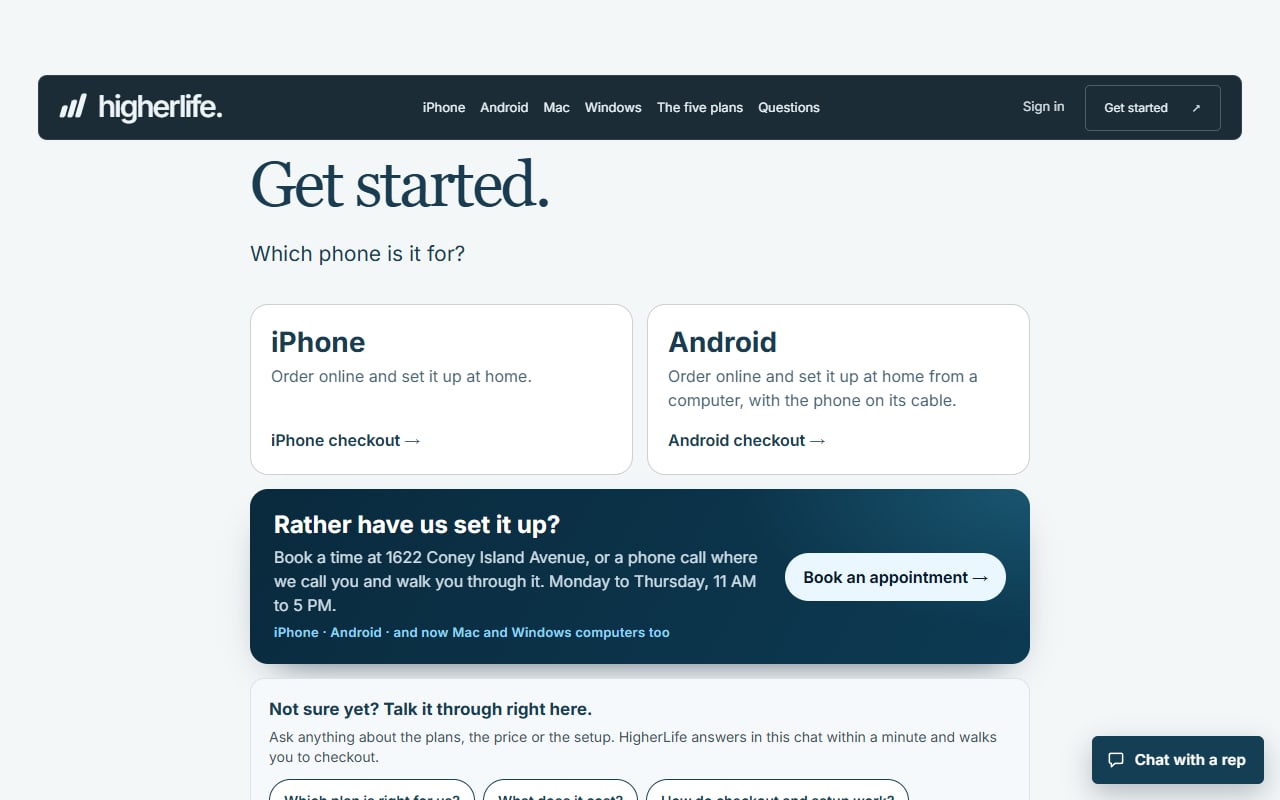
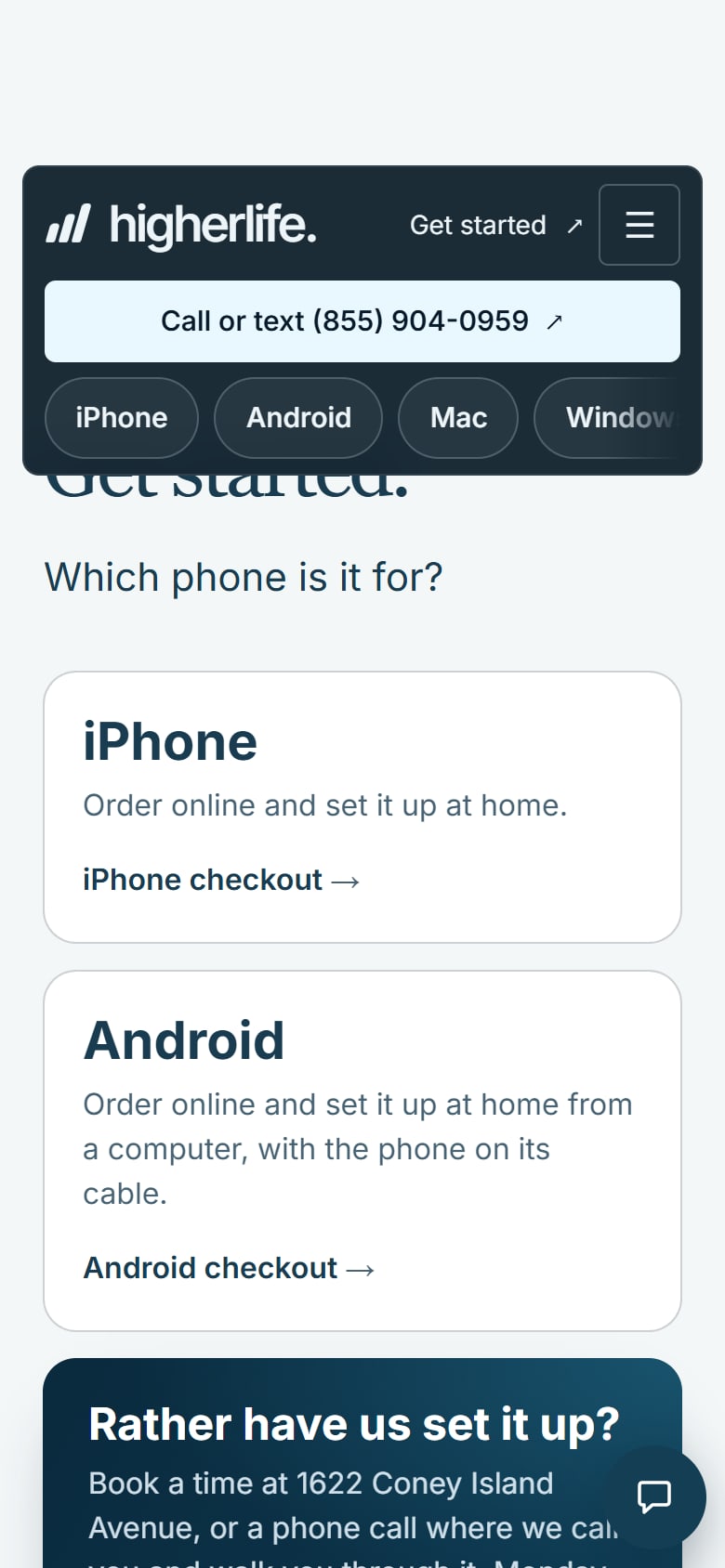
- An iPhone can be ordered online and set up at home.
- An Android can be ordered online and set up at home, from a computer with the phone's cable.
- A phone call. If you would rather have a person with you the whole way, a HigherLife rep can set it up with you on a phone call.
- An appointment in Brooklyn. Or come to 1622 Coney Island Avenue, by appointment, and a rep sets it up while you wait.
A few things make the first conversation easier, whichever way you start:
- Which phones in the family you want to do now, and who uses each one.
- What each person's school or yeshiva expects.
- The few things each person cannot do without.
This guide covers what you will see and what you choose. It does not cover the steps behind it, because those are personal to your phone. They live with the rep and in My HigherLife, where a parent or guardian manages every phone in the family.
The same choices are open to families elsewhere in New Jersey. You can order online and set up at home, call or text (855) 904-0959, or book a time in Brooklyn.
When the drive to Brooklyn is worth it
Our appointments are in Brooklyn, home to the largest Jewish community in the New York area. JTA, reporting on UJA-Federation of New York's 2023 study, found that Brooklyn has more Jews than any other county in the New York area: 462,000, about a third of the total. The same study counted about 430,000 Jews living in Orthodox households across the eight-county New York area.
For a Lakewood family, the trip can be worth it when:
- You would rather hand the phone to a person and watch it done.
- You are doing several phones in the family at once.
- A grandparent, or someone less comfortable with phones, is getting one, and you want them to learn it face to face.
- You are already in Brooklyn for a simcha, a shopping trip or family.
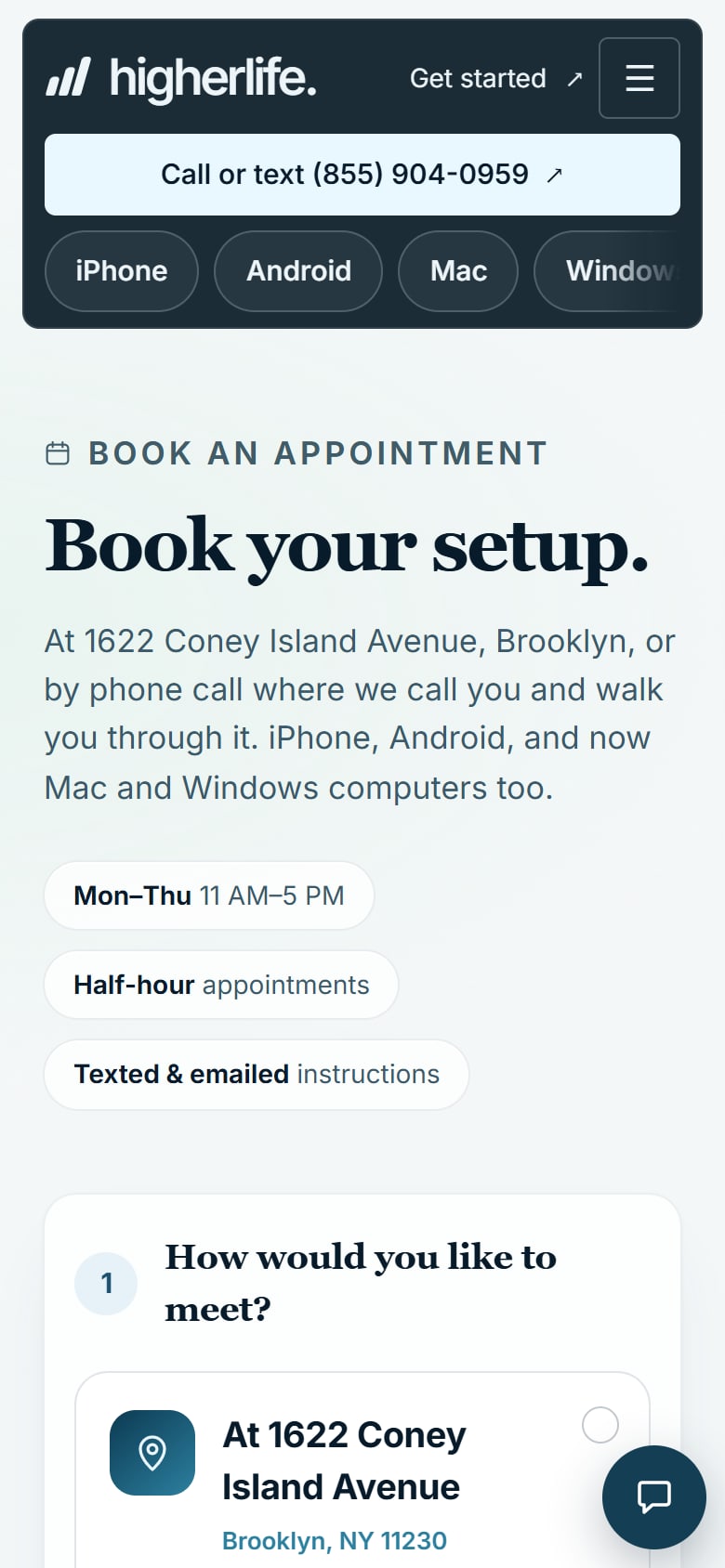
An in-person visit works like this: book a time, come to 1622 Coney Island Avenue, and a HigherLife rep sets the phone up while you wait. You leave with the phone ready and with My HigherLife in hand.
If you would rather not make the trip, the phone call does the same job from your own kitchen. Book an appointment either way. Families who live closer will find more in our Brooklyn guide.
iPhone or Android: what each carries today
HigherLife is for iPhone and Android, but the two are not the same today. It helps to know the difference before you choose.
On an iPhone, a family chooses from HigherLife's own apps and tools:
- Google, Gmail and Maps. Google's own search, Gmail, Maps and the everyday tools, with the AI answers, ads and short videos taken out. Torah first from LeHallel, and today's zmanim and kosher places first.
- Filtered WhatsApp. Our own app. Only the people and groups you approve. No Status, Channels or Communities, pictures shaded, and closed for Shabbos if you choose.
- Pictures shaded. People in pictures are shaded, the way you choose in My HigherLife.
- Summarize, with Claude. Built in with Claude in the HigherLife browser. Press it on a long page and it comes back in a few short, clear lines. Save keeps them.
- Filtered YouTube. Our own app. It opens to your channels and their newest videos. You can block a channel or a word in a title, and turn comments, live chat and search on or off.
- HigherLife Guardian. Your child asks for an app and you decide, from your own phone. You can see every site and the time spent on each, and set quiet hours.
On an Android, HigherLife today is the HigherLife browser: every page checked, and pictures shaded. Filtered WhatsApp, Filtered YouTube, Summarize and the other HigherLife tools are on iPhone, not on Android.
Here is how that plays out for a family:
- If someone needs group chats with only approved people, or their own channels on video, that points to an iPhone.
- If an Android with a protected browser covers what they need, it is a real choice too, especially for a phone that is already in the house.
More detail is in our guides to a kosher iPhone and a kosher Android.
Who manages the phone, and who sees what
Two worries come up again and again when families talk about protected phones:
- Control. Who decides what the phone can do, and can I change it later?
- Privacy. Who else can see my notes, photos, messages and passwords?
With HigherLife, a parent or guardian manages every phone in the family from My HigherLife, and can change a phone's level any time. On an iPhone with HigherLife Guardian, a child who wants an app asks for it, and the parent decides from their own phone. The decisions stay at home, with the people who know the child.
On privacy, ask every provider the same plain questions, us included, and expect plain answers:
- What can you see on this phone?
- Can you see my notes, photos, messages or passwords?
- Who can take the protection off, and how?
- What happens to my apps and photos if I stop?
Write the answers down next to the price. They matter as much.
One honest word, too: children find ways around settings. No phone replaces the conversation at home, the phone charging in the kitchen at night, and a parent who notices. A good setup makes those easier. It does not replace them.
When something you need is blocked
Every protected phone will, at some point, block something someone needs: the school's new app, a work site, the form for a simcha hall. What happens next decides whether the family keeps the protection.
A complaint that comes up often about protected phones is not the protection itself. It is the wait. People ask for a site and hear nothing for hours, or call for help and reach a recording in the middle of the day. Protection that leaves you stuck on a Sunday night tends to come off by the end of the week, and then the family has nothing.
On a HigherLife phone, you ask in My HigherLife, and our support team answers in the same minute and takes care of it for you. You can also call or text (855) 904-0959, or write to support@higherlife.tech.
Ask any provider the same question before you choose: when something I need is blocked, how fast do I get a real answer, and from whom? It is the question most families forget to ask until the first time it happens.
What it costs for a whole year
Compare prices for a whole year, per phone, with nothing extra. A one-time price that turns into a monthly bill, or a setup fee on top, changes the picture for a family with several phones.
HigherLife is $80 for six months or $160 for a year, per phone, paid up front, by card or cash. There is no setup fee.
The price is the same on every plan: Focus, Balance, Flex, Hybrid or Freedom. A HigherLife rep helps you choose the plan for each person. Because the price never changes with the plan, the choice can follow the person, not the budget. You can change a phone's level any time from My HigherLife.
Two more questions belong on your list. First, does the price change when you add a phone? Ours is per phone, the same for each. Second, will you need to buy a new device? A talk-and-text phone usually means buying one. A protected smartphone may let you keep the phone you already have, so ask about yours.
When a simpler phone is the better choice
We set up smartphones, and we would rather you choose well than choose us.
- A younger child. No phone, or a basic phone that calls home, is often the simplest and best answer.
- A yeshiva or school that asks for a basic phone. Then a basic phone is the answer, and a protected smartphone is not a way around the school's rules.
- Someone who wants calls only. If the goal is to be reachable and nothing more, a talk-and-text phone does that with nothing to manage.
- A family that has chosen no smartphone at all. That is a serious, considered choice. It deserves respect, not a sales pitch.
- Someone who needs the phone for work, maps and family groups. Here a protected smartphone usually changes the least about daily life, and that is where HigherLife fits.
Questions people ask
Is there a kosher phone store in Lakewood?
There is no HigherLife location in Lakewood. You can order online and set up an iPhone or Android at home, or set it up with a HigherLife rep on a phone call. You can also book a time at 1622 Coney Island Avenue in Brooklyn, where a rep sets it up while you wait.
Can I get a kosher iPhone without driving to Brooklyn?
Yes. An iPhone can be ordered online and set up at home, or set up with a HigherLife rep on a phone call.
Can I set up an Android from home?
Yes. An Android is ordered online and set up at home, from a computer with the phone's cable. On Android, HigherLife today is the HigherLife browser, with every page checked and pictures shaded. Filtered WhatsApp, Filtered YouTube and Summarize are on iPhone.
Is it a one-time fee, or recurring?
You pay for six months or a year at a time, up front: $80 for six months or $160 for a year, per phone, by card or cash. There is no setup fee, and the price is the same on every plan.
Do I need a new "Jewish" phone, or can I use the one I have?
Not necessarily a new one. A talk-and-text phone means buying one. A protected iPhone or Android may be the phone you already own, so ask a HigherLife rep about your exact phone before you buy anything.
My child's yeshiva has its own phone rules. What then?
The school's rules come first. Ask exactly what it expects, for the child and sometimes for the parents, and choose within that.
What happens when something I need is blocked?
Ask in My HigherLife, and our support team answers in the same minute and takes care of it for you. You can also call or text (855) 904-0959.
Who controls the phone?
A parent or guardian manages every phone in the family from My HigherLife and can change a phone's level any time.
Is a protected smartphone enough for a Torah home?
Families, schools and communities answer this differently, and the answer can change from one child to the next. Some homes keep no smartphone at all, some choose a basic phone, and some choose a protected smartphone. For the halachic question in your home, ask your rav.
Sources
- Pew Research Center, Jewish Americans in 2020, May 11, 2021.
- UJA-Federation of New York, 1.37 Million Jewish Adults and Children Live in Eight-County New York Area (2023 Jewish Community Study of New York, via PR Newswire), May 9, 2024.
- JTA / New York Jewish Week, Nearly 1 million Jews live in NYC, new study finds, May 9, 2024.
- Associated Press via NBC News, Report on the ultra-Orthodox gathering at Citi Field on the dangers of the internet, May 21, 2012.
- CBS New York, More than 40,000 Orthodox Jews expected at Citi Field, May 19, 2012.
- JTA, Hasidic village makes parents choose: children's education or smartphone, August 5, 2015.
- The Jewish Link, Yeshiva high schools' mobile phone policy, 2022-2023, September 2022.
- Engadget, Israel's kosher phone, March 7, 2005.
- Associated Press via NBC News, Report on Israel's kosher cellphones, March 31, 2006.