A Phone That Closes for Shabbos: What Families Set Up
A phone that closes for Shabbos is a phone that asks nothing of the family from candle lighting until havdalah. Families set up three things: the phone itself quiet and put away, the apps that pull hardest closed for the day, and one rule that is the same for everyone at home, adults included. Most of it is free.
What does it mean for a phone to close for Shabbos?
People who search for a "Shabbos mode" on a phone are usually asking for one of three things. It helps to know which one is yours.
- A quiet phone. It sits on a shelf and does not ring, buzz, light up, or sound the weekday alarm on Shabbos morning.
- Closed apps. The messages, groups and feeds that fill the week are not there to open, for a child, a teenager, or an adult who knows himself well.
- A family off the phone together. Nobody is the only one without it, because the rule is the same for everyone.
A family that keeps Shabbos does not use the phone on Shabbos, and nothing in this guide tries to rule on what is or is not allowed. This guide is about the practical side: what a phone does by itself while nobody touches it, what is waiting when Shabbos ends, and how to make the day easier for the people at home who find it hard.
Other families are only beginning to keep a phone-free Shabbos. This guide is written for them too.
Isn't turning the phone off enough?
For many adults, yes. Hold the button, put the phone in a drawer, and take it out after havdalah. If that works in your home, you may not need anything else on this page.
It stops being enough in a few ordinary cases:
- The phone has to stay on. Someone is on call, or a relative is unwell. A phone that is on keeps buzzing for everything else too.
- There are children's devices in the house. A parent can turn off her own phone. A child's phone is another matter.
- Someone finds the day hard. A phone one button away on a long summer afternoon is a real test for some people, and they deserve help, not a lecture.
- The hard part is Saturday night. The phone comes back with everything it collected, and the calm of Shabbos is gone before the havdalah candle is out.
Research on attention points the same way. In a 2015 experiment, Stothart, Mitchum and Yehnert found that "cellular phone notifications alone significantly disrupted performance on an attention-demanding task, even when participants did not directly interact with a mobile device during the task." A phone that buzzes from the shelf is not a phone at rest.
In a 2018 field experiment with more than 300 people at restaurant meals, Dwyer, Kushlev and Dunn reported: "When phones were present (vs. absent), participants felt more distracted, which reduced how much they enjoyed spending time with their friends/family." The Shabbos table has understood this for a very long time.
Before, during and after: the three moments
Most advice about phones and Shabbos is about Shabbos itself. In practice the day is won or lost on Friday afternoon, and again in the first minutes after havdalah. Think of three moments, and three things to look after in each: the phone, the apps and the family.
Nothing in the picture needs a product. It needs a few minutes on Friday and one decision made ahead of time. The sections below take each piece in turn.
What do the phone's own settings do?
Both iPhone and Android come with free tools that put apps to rest on a schedule. They were built for bedtime and homework, not for Shabbos, but they are a real start.
On iPhone
In iOS 27, Apple calls them Screen Time Schedules and Time Allowances. In Apple's words, "you can use Time Allowances to set how long you use your apps each day, and Schedules to set when during the day you can use them." In iOS 26 and earlier, the same idea is called Downtime, which Apple describes as "setting specific times when most apps are unavailable."
- A limit is a reminder unless you make it firm. Apple writes: "By default, Screen Time limits can be ignored once reached." Apps are fully blocked during Downtime only when a Screen Time passcode is set and Block at Downtime is turned on.
- The passcode is the key. It is a four-digit code, separate from the code that unlocks the phone. Apple says it "locks your child's Screen Time settings so they can't change them on their own."
Before you rely on a schedule, see which apps stay available during it. Our guide to parental controls walks through these settings one by one.
On Android
Android's Digital Wellbeing shows screen time, unlocks and notifications, and offers app timers. Google explains: "When you run out of time, the app closes and its icon dims." The timers reset at midnight, so they follow the calendar day. Shabbos begins on Friday evening and ends on Saturday night, which a daily timer was never meant to follow.
For a child's Android phone, Google's Family Link lets a parent set daily limits and a bedtime, and approve or block apps. Google notes that Family Link does not cover iPhones or iPads.
Why doesn't a weekly schedule quite fit Shabbos?
A phone's schedule runs on the clock: these hours, on these days. Shabbos runs on the sun. That leaves three gaps, and it is better to know them on a Tuesday than to find them on a Friday.
- Shabbos moves. Candle lighting comes early in the winter and late in the summer. A schedule set in December is wrong by June. Adjust it as the seasons turn, or set it wide enough to cover the earliest Friday and the latest Saturday night of the year. If your phone lets you give each day its own hours, give Friday and Saturday theirs.
- Yom tov falls on weekdays. A schedule built for Friday and Saturday knows nothing about a yom tov that begins on a Wednesday night. Put a reminder in the calendar for the day before.
- Travel changes the hours. A family that spends Shabbos in another time zone brings along a schedule made for home.
None of this is a reason to skip the schedule. It is a reason to glance at it every erev Shabbos, the way you look up the candle lighting time.
What about WhatsApp over Shabbos?
In many homes the loudest thing on the phone is WhatsApp: the class group, the shul group, the family group, the neighborhood group. Each is useful on a Tuesday. Together, over Shabbos, they are a pile.
They also do not rest when you do. Relatives in Eretz Yisrael finish Shabbos hours before Brooklyn does, and their pictures and good wishes arrive while it is still Shabbos afternoon here. Work groups carry on as usual.
Families handle it in a few ways:
- Say it once. A line in the family group on Friday, "back after Shabbos," saves a relative from wondering why nobody answered.
- Quiet the busiest groups before candle lighting, so a phone that must stay on is not lit up all day.
- Leave Status and Channels out of it. They are the parts of WhatsApp made for scrolling, and they are where a Saturday night can disappear. Our guide to WhatsApp Status and Channels explains what they are and what families do about them.
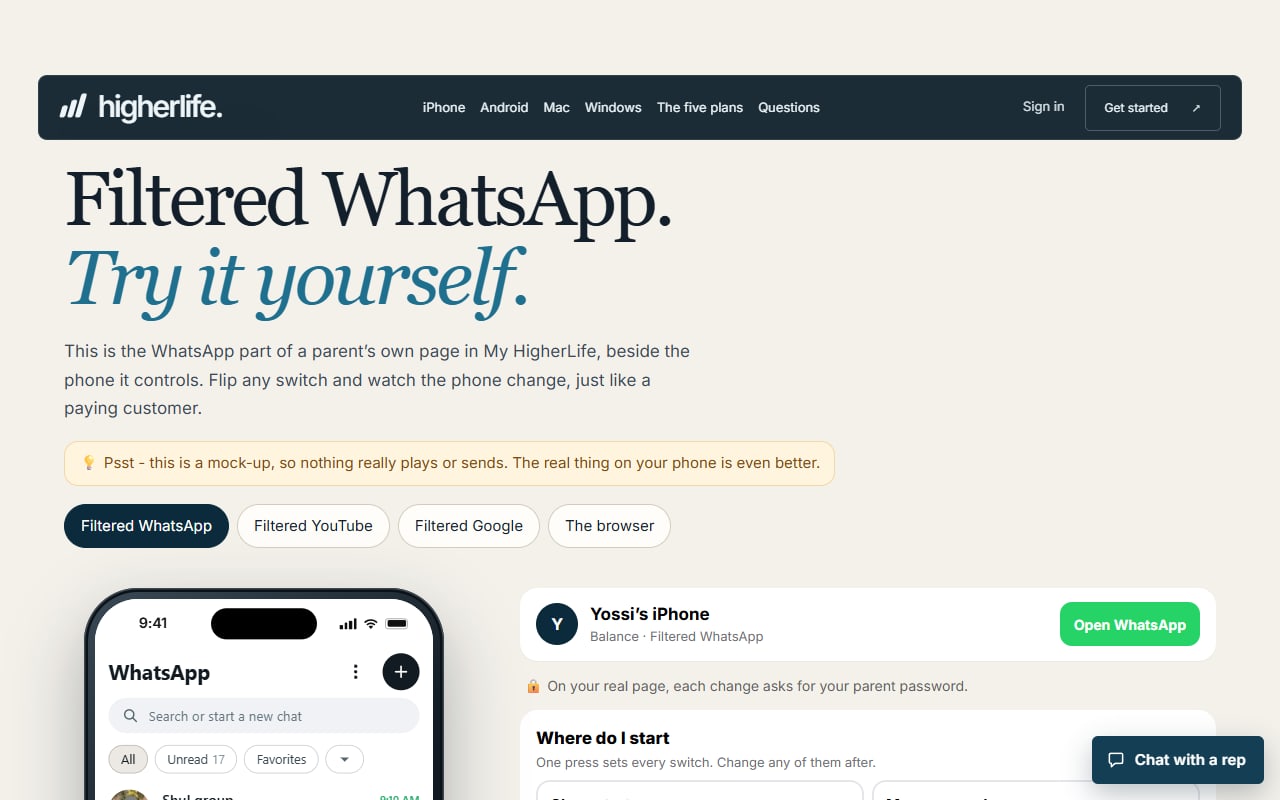
This is one place where we built something ourselves. HigherLife made its own app, Filtered WhatsApp, for iPhone. It shows only the people and groups you approve. There is no Status, no Channels and no Communities, pictures are shaded, and it is closed for Shabbos if you choose. There is more in our guide to kosher WhatsApp.
Who should hold the key?
Every setting on a phone can be changed by someone. Whether a Shabbos setup lasts depends on who that someone is.
For an adult setting limits on his own phone, Apple is direct. Of the Screen Time passcode it says: "If you set up this feature, you can use your Apple Account to reset your Screen Time passcode if you ever forget it." In plain words, a code you set for yourself is a reminder you can undo, not a lock held by someone else.
A reminder is worth a great deal. For many people, one extra step between the hand and the app is all it takes. Others know themselves better than that, and say so without shame.
Those families do something simple: the key goes to someone else. A husband sets the code on his wife's phone, and she sets the one on his. A parent holds the code for a child's phone. The person who feels the pull is not the person who can open it.
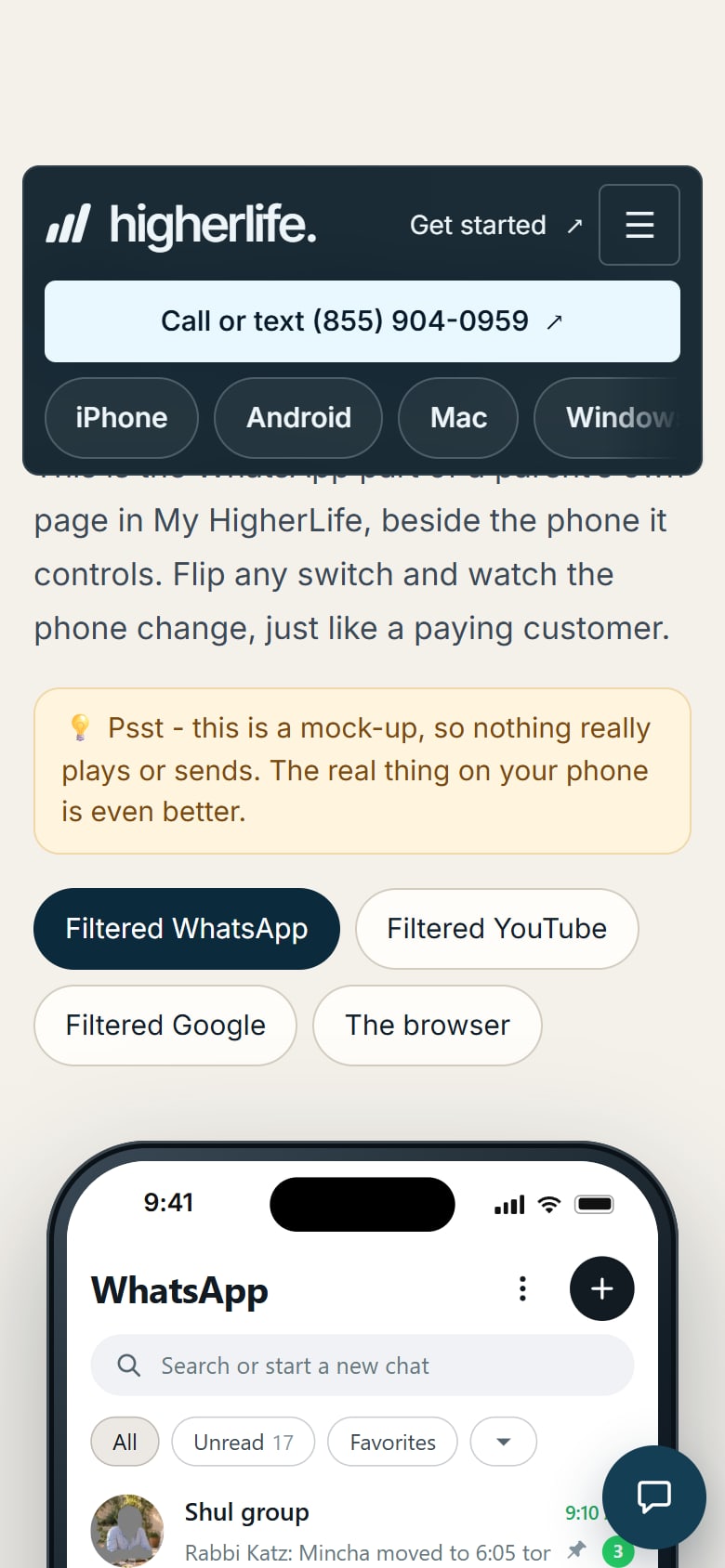
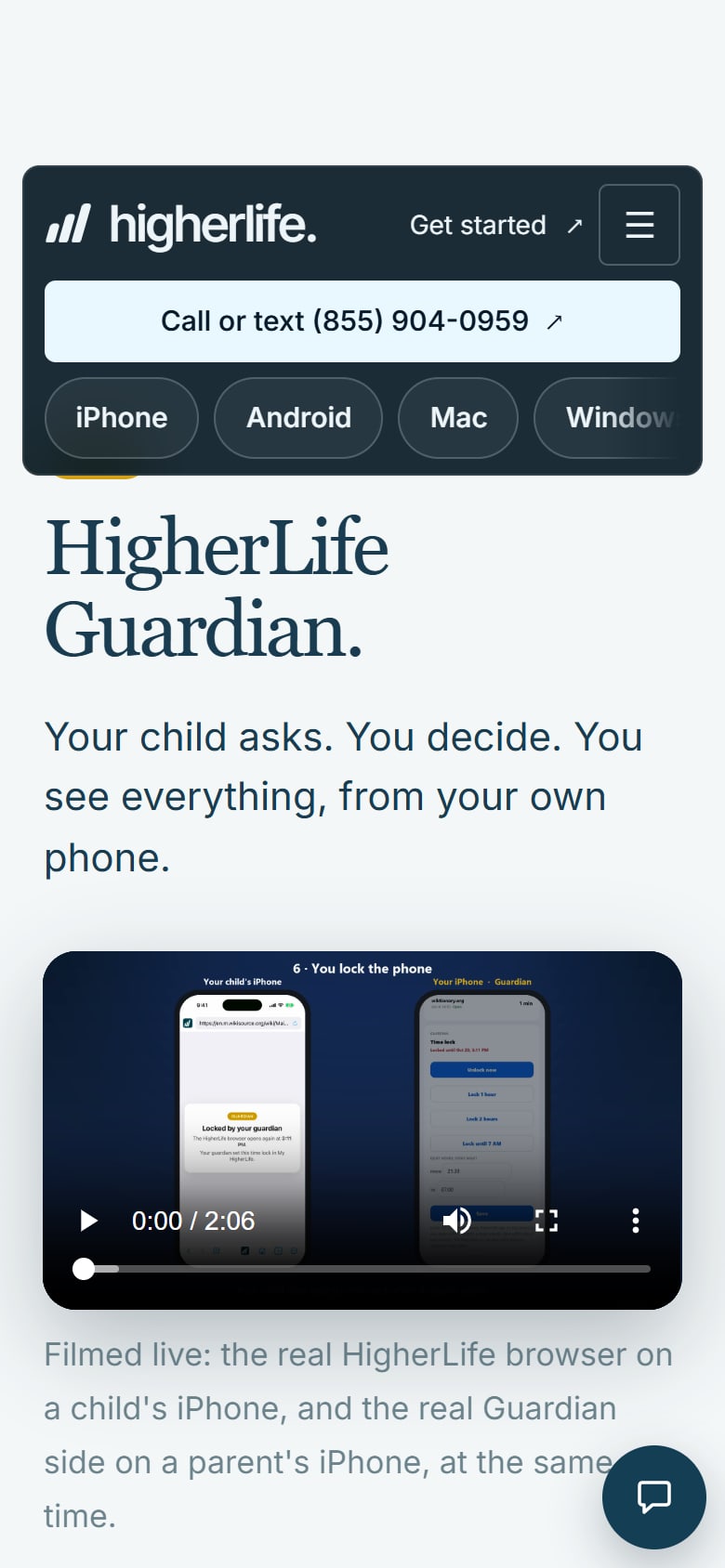
The same idea is behind Filtered WhatsApp: you choose once, ahead of time. The video at the top of this guide shows the Filtered WhatsApp settings a parent sees in My HigherLife.
If the pull is there all week and not only on Shabbos, our guide to phone addiction goes deeper.
How do families handle children's and teenagers' phones?
The rule that works is the rule the adults keep too. Pew Research Center reported in 2024 that 47% of American parents of teens say they spend too much time on their own smartphone, and that 46% of teens say a parent is at least sometimes distracted by the phone when the teen is trying to talk. Children notice who is holding what.
So in a home with children, the Shabbos setup starts with the adults' phones.
- One place for every phone. A basket or a drawer, filled before candle lighting, with the adults' phones going in first.
- Say it on Thursday, not on Shabbos. A teenager who hears the plan ahead of time, and has a say in it, is not surprised at the table.
- Give the day something better. A friend invited, a game on the table, a walk. A phone leaves a space, and something has to fill it.
- Keep the key yourself. On a child's phone, the schedule and its passcode belong to the parent.
Children find ways around settings. A setting supports a family's rule. It does not replace the conversation behind it.
On an iPhone with HigherLife, this is the work of HigherLife Guardian: your child asks for an app and you decide, from your own phone. You see every site and the time on each, and you set quiet hours.
The erev Shabbos phone list
Eight small steps for Friday afternoon. Keep the list on the fridge until it is habit.
- Turn off the weekday alarms. Reminders with a sound too. This is the easiest one to forget.
- Tell the people who need to know. One line to family abroad or a colleague: back after Shabbos.
- Quiet the busiest groups. If the phone stays on, it should stay dark.
- Decide which calls must get through. Then have someone call you to test it.
- Look at the schedule. Does it begin before this week's candle lighting and end after havdalah? Is a yom tov coming?
- Gather the children's devices. Phones, tablets and anything else with a screen, or see that their quiet hours are on.
- Put every phone in its place. Adults first, where the children can see it happen.
- Choose your first step for Saturday night. Havdalah, then the dishes, then the phone, or whatever order you want to be true.
The first week it takes some thought. After that it is part of getting ready, like setting the table.
What about calls that must get through?
In some homes the phone cannot simply go off. A volunteer is on call. A doctor is on call. A baby is due. An elderly parent lives alone and has one number to dial.
In those homes the aim is different: a phone that is on, silent for everything that can wait, and loud for the one thing that cannot. Two practical points apply to any setup, free or paid.
- Test it before Shabbos. Have the person who might need you call while the Shabbos settings are on. Friday night is the wrong time to learn that the call was silenced with everything else.
- Ask what stays open. Whatever closes the apps on your phone, ask whether the phone can still make and receive a call while they are closed, and see it with your own eyes.
How the phone is kept, where it sits, who may answer it and when: these are questions of halacha, and they depend on the person and the need. Your rav knows your situation. For these, ask your rav.
What happens on motzei Shabbos?
The phone comes back with a full day inside it. Families who guard the end of Shabbos as carefully as its beginning do a few things.
- Havdalah first. Then whatever comes next in your home. The phone can be the third or fourth thing, not the first.
- Open it once, on purpose. Answer what needs an answer tonight. Much of the rest can wait for the morning.
- Use the phone's own report. On iPhone, Screen Time lets you "view a report of your Pickups and Notifications to see how many times you picked up your devices and how many notifications you received." See how many arrived over Shabbos, and ask how many of them needed you.
- Let the children's phones rest a little longer. Saturday night is late already, and Sunday comes early.
A calm Saturday night belongs to the same decision as a calm Shabbos. It only has to be made on Friday.
A phone-free Shabbos when your family is just starting
Not every reader grew up with the phone in a drawer from Friday to Saturday night. Some families are taking on Shabbos step by step. Some want one day of rest from the screen and are finding their way toward more. Every one of these roads deserves respect.
- Start with the table. Friday night dinner with every phone in another room is a complete thing in itself. The restaurant study above was about exactly this: a meal, with and without phones on the table.
- Add time, not rules. From candle lighting through the meal. Then until morning. Then the whole day.
- Do it together. One person without a phone in a house full of phones is lonely. A family without phones is having Shabbos.
- Expect the first weeks to feel strange. The reach for the pocket takes time to fade. That is normal, not failure.
When a question comes up about what Shabbos asks of you, there is a person for that. A good rav is glad to be asked. Ask your rav.
Questions people ask
Does iPhone have a Shabbos mode?
Apple's own tool for this is Screen Time Schedules in iOS 27, called Downtime in iOS 26 and earlier. It makes most apps unavailable during hours you set. It runs on the clock, so look at it each week against candle lighting and havdalah.
How do I turn off WhatsApp for Shabbos?
Tell your groups you will be back after Shabbos, and quiet the busiest ones before candle lighting. On iPhone, HigherLife's own app, Filtered WhatsApp, is closed for Shabbos if you choose.
Can a Screen Time schedule follow candle lighting times?
A schedule is set in hours of the clock, and candle lighting moves through the year. Adjust the schedule as the seasons change, or set it wide enough to cover the earliest Friday and the latest Saturday night.
Can I leave my phone on over Shabbos for an emergency?
Many homes have someone on call or a relative who may need them. Test before Shabbos that the call you need still rings while everything else is quiet. Whether and how to keep the phone on is a question of halacha: ask your rav.
Why don't Screen Time limits hold on my own phone?
Apple says, "By default, Screen Time limits can be ignored once reached," and that an adult can reset his own Screen Time passcode through his Apple Account. A limit you set for yourself is a reminder. For something firmer, let someone else hold the code.
My teenager finds it hard to stay off the phone on Shabbos. What helps?
The same rule for everyone, adults included. Phones go in one place before candle lighting, the plan is talked through during the week, and the day has something good in it. A schedule with a code the parent keeps supports the rule.
Does any of this work on Android?
Android has Digital Wellbeing app timers, which reset at midnight, and Family Link for a child's phone, with daily limits and a bedtime. HigherLife on Android today is the HigherLife browser, with every page checked and pictures shaded. Filtered WhatsApp is on iPhone.
What does HigherLife cost?
$80 for six months or $160 for a year, per phone, paid up front by card or cash, with no setup fee.
Sources
- Apple, iPhone User Guide (iOS 27), Set Screen Time Schedules and Time Allowances.
- Apple, iPhone User Guide (iOS 26), Set schedules with Screen Time.
- Apple Support, Set, change, and manage a Screen Time passcode on your child's device.
- Apple, iPhone User Guide (iOS 27), Create, change, or remove a Screen Time passcode.
- Apple, iPhone User Guide (iOS 27), Set up Screen Time for yourself on iPhone.
- Android Help, Manage how you spend time on your Android phone with Digital Wellbeing.
- Google, Get started with Family Link (Google For Families Help).
- Pew Research Center, How Teens and Parents Approach Screen Time, March 11, 2024.
- Dwyer, Kushlev and Dunn, Journal of Experimental Social Psychology 78:233-239 (2018), the field experiment on phones at restaurant meals.
- Stothart, Mitchum and Yehnert, Journal of Experimental Psychology: Human Perception and Performance (2015), the experiment on phone notifications and attention.